urlscan.io
Connector Category: Enrichment Tool
About Integration
Intel Exchange integrates with urlscan.io to enrich URLs to provide you with insights into their safety, reputation, and potential security risks.
Configure urlscan.io as an Enrichment Tool
Configure urlscan.io to enrich URLs.
Before you Start
Ensure that you have the Base URL of your urlscan.io account.
Ensure that your user group has Create, Update, and View permissions for enrichment tools and their associated policies in Intel Exchange
Steps
To configure urlscan.io as an enrichment tool in Intel Exchange, follow these steps:
Sign in to Intel Exchange and go to Administration > Enrichment Management > Enrichment Tools.
Search and select the urlscan.io enrichment tool.
Click Add Account and enter the following details:
Account Name: Enter a unique account name to identify the instance. For example, urlscan.
Base URL: Enter the base URL of your urlscan.io instance. The default base URL is
https://urlscan.io/api/v1/search/.(Optional) API Key: Enter the API key of your urlscan.io account to authenticate communication between the Intel Exchange and urlscan.io servers.
Note
urlscan.io allows a limited number of scans per day for the free tier and does not require an API key. For more information, see https://urlscan.io/pricing/.
Verify SSL: Select Verify SSL to verify the SSL certificate and secure the connection between Intel Exchange and urlscan.io servers. By default, Verify SSL is selected.
Note
It is recommend you enable Verify SSL. If you disable this option, Intel Exchange may configure an instance for an expired SSL certificate. This may not establish the connection properly and Intel Exchange will not be able to notify you in case of a broken or improper connection.
Click Save.
After successfully adding an account, you can view and enable the URL feed enrichment types.
Enable urlscan.io Enrichment Type
After successfully adding an account, you can view and enable the urlscan.io feed enrichment type.
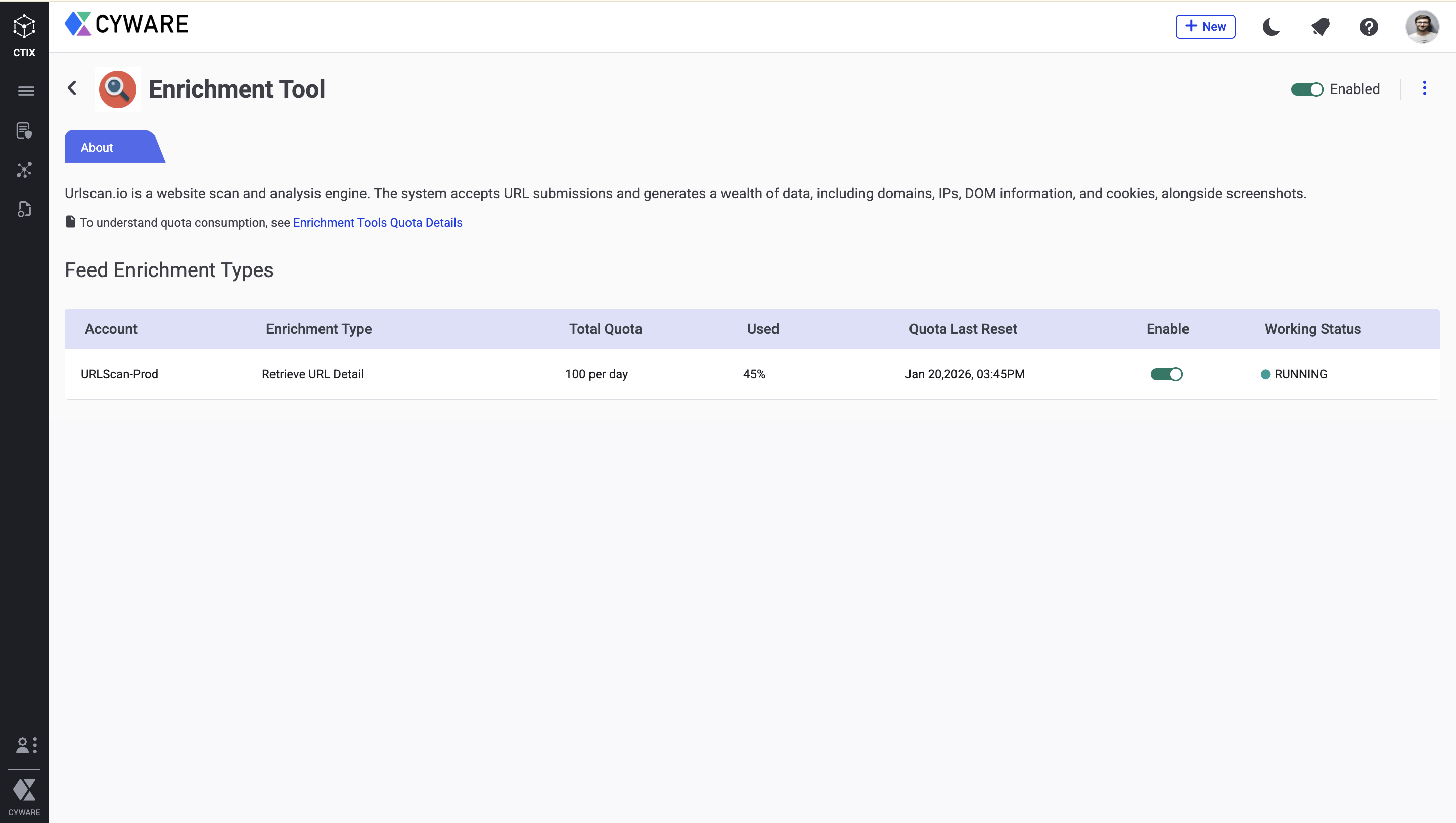
Configure Enrichment Quota
You can also configure a quota to define a limit to the number of enrichment requests Intel Exchange makes to urlscan.io. After the quota expires, you cannot make enrichment requests until the quota resets for the next quota duration. For more information, see Define Quota in Configure Enrichment Tools.
The following table shows the number of API calls and quota units consumed by the urlscan.io enrichment tool for each enrichment:
Enrichment Tool | Feed Enrichment Type | No. of API calls | Quota Consumed | Endpoint |
|---|---|---|---|---|
urlscan.io | URL | 1 | 1 | The following endpoints are used to perform the action:
|
You can configure an enrichment policy to automatically enrich threat data objects using the urlscan.io enrichment tool. For more information, see Configure Enrichment Policy.
Changelog
The following table lists the changelog for each version of this integration:
Version | Release Date | Changes |
|---|---|---|
v3.7.6.0 | 29 January, 2026 | Domain enrichment is no longer supported; review or update any enrichment policies using the Domain enrichment type. Threat Investigation is also disabled, and all related configurations will no longer function after the upgrade. |