GreyNoise
Connector Category: Enrichment Tool
Notice
This integration is updated to support the latest GreyNoise APIs. Users on Intel Exchange v3.7.5.8 and above can access the revamped integration.
About Integration
GreyNoise Enterprise empowers SOC, CTI, and Threat Hunting teams by enriching security tools with new observations and contextual intelligence on opportunistic internet scanning and common business services. Intel Exchange integrates with GreyNoise to enrich IPv4 addresses and vulnerabilities, providing deeper insights for threat analysis and investigation.
Configure GreyNoise as an Enrichment Tool
Configure GreyNoise in Intel Exchange to enrich IPv4 addresses and vulnerabilities.
BeforeyouStart
Ensure that you have the API token of your GreyNoise account.
Ensure that your user group has Create, Update, and View permissions for enrichment tools and their associated policies in Intel Exchange.
Note
Ensure that the API key includes the permissions to retrieve IPv4 addresses.
Steps
To configure GreyNoise as an enrichment tool in Intel Exchange, follow these steps:
Sign in to Intel Exchange and go to Administration > Enrichment Management > Enrichment Tools.
Search and select the GreyNoise tool.
Click Add Account and enter the following details:
Account Name: Enter a unique account name to identify the instance. For example, GreyNoise Prod.
API Key: Enter the API key of your GreyNoise account to authenticate communication between Intel Exchange and GreyNoise servers.
Click Save.
After successfully adding an account, you can view and enable GreyNoise enrichment types.
Enable GreyNoise Enrichment Type
After successfully adding an account, you can view and enable the GreyNoise enrichment type.
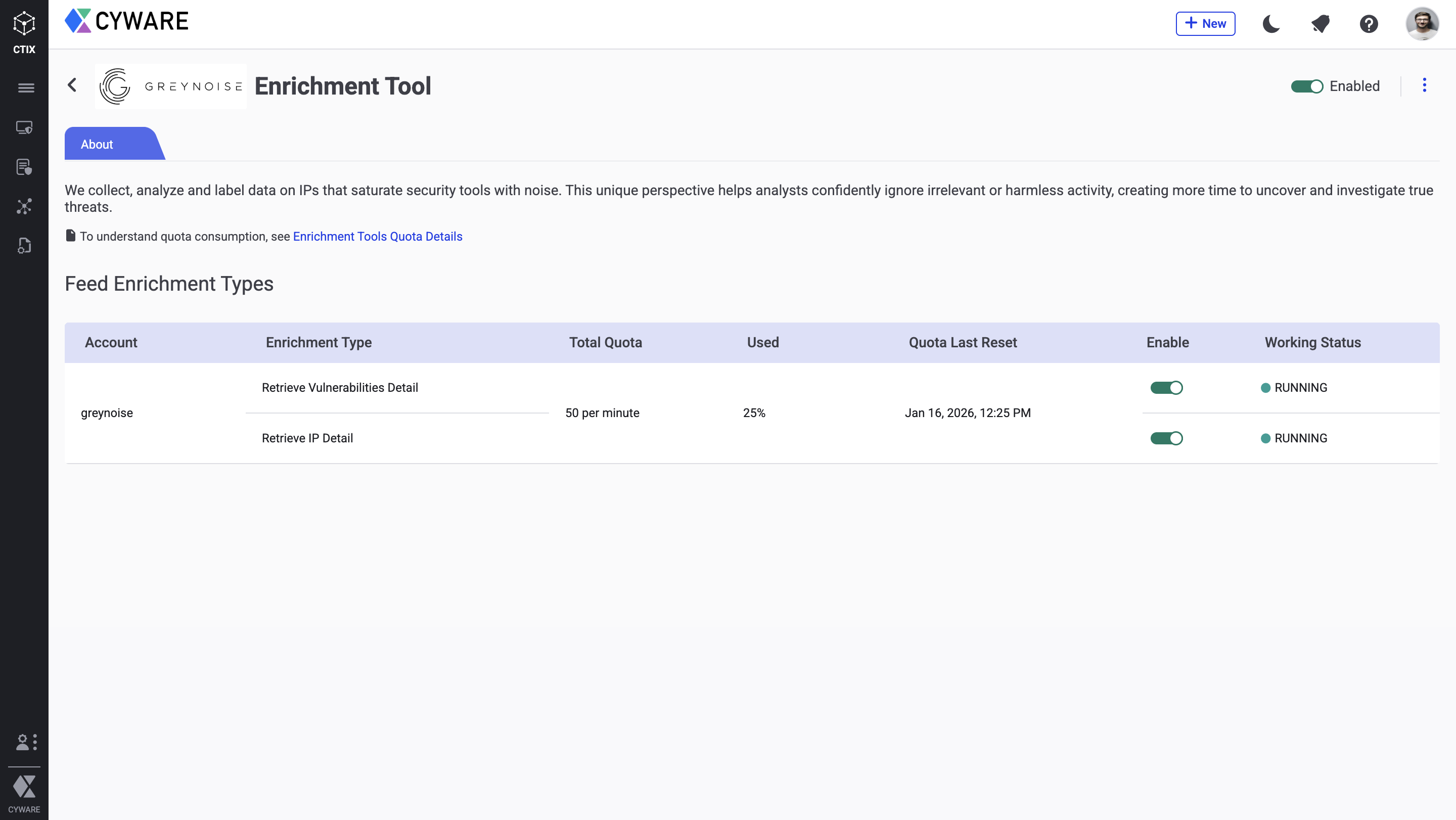
Configure Enrichment Quota
You can also configure a quota to define a limit to the number of enrichment requests Intel Exchange makes to GreyNoise. After the quota expires, you cannot make enrichment requests until the quota resets for the next quota duration. For more information, see Define Quota in Configure Enrichment Tools.
Note
Enrichment types are not enabled by default. Ensure you enable them in the final step.
The following table shows the number of API calls and quota units consumed by the GreyNoise enrichment tool for each enrichment:
Enrichment Tool | Feed Enrichment Type | Endpoint |
|---|---|---|
GreyNoise | Retrieve Vulnerabilities Detail |
|
Retrieve IP Details |
|
You can configure an enrichment policy to automatically enrich threat data objects using the GreyNoise enrichment tool. For more information, see Enrichment Policy.
Changelog
The following table lists the changelog for each version of this integration:
Version | Release Date | Changes |
|---|---|---|
v3.7.5.8 | 22 January, 2026 | Updates the GreyNoise enrichment endpoint to |