Censys
Connector Category: Enrichment Tool
Notice
This integration is available in Intel Exchange from v3.7.6.0 onwards.
Intel Exchange integrates with Censys to enable security analysts to scan IP addresses and domains on the Censys database and retrieve valuable insights for threat investigation. This integration allows analysts to defend against attacks and investigate threats with added context.
Use Cases
Identify the origin of a cyberattack by geo-locating IP addresses and domains.
Identify the root cause of a cyberattack by correlating the locations of IP addresses, domains, and threat actors.
Benefits
Enrich IP addresses and domains in real time.
Identify the location details of IP addresses and domains.
Retrieve the Autonomous System Number (ASN) details of IP addresses and domains.
Note
The Threat Investigation Canvas does not support Censys enrichment.
Configure Censys as an Enrichment Tool
Configure Censys in Intel Exchange to enrich IP addresses, domains, and SHA256 hashes.
Before you Start
Ensure that you have the Base URL and API key of your Censys account.
Ensure that your user group has Create, Update, and View permissions for enrichment tools and their associated policies in Intel Exchange.
Steps
To configure Censys as an enrichment tool in Intel Exchange, follow these steps:
Sign in to Intel Exchange and go to Administration > Enrichment Management > Enrichment Tools.
Search and select the Censys Enrichment.
Click Add Account and use the following information:
Account Name: Enter a unique account name to identify the instance. For example, Prod-censys.
Base URL: Enter the base URL to directly connect to the application's server. For example, https://api.platform.censys.io/v3.
API Key: Enter the API key from your Censys account to authenticate communication between the Intel Exchange and Censys servers.
Organization ID: Enter the organization ID of your Censys account to authenticate the account.
Verify SSL: Select Verify SSL to verify the SSL certificate and secure the connection between Intel Exchange and Censys servers. By default, Verify SSL is selected.
Note
It is recommended you enable Verify SSL. If you disable this option, Intel Exchange may configure an instance for an expired SSL certificate. This may not establish the connection properly, and Intel Exchange will not be able to notify you in case of a broken or improper connection.
Click Save.
After you save the account, you can use Censys to enrich IP addresses, domains, and SHA256 hashes.
Enable Censys Enrichment Type
After successfully adding an account, you can view and enable the Censys feed enrichment type.
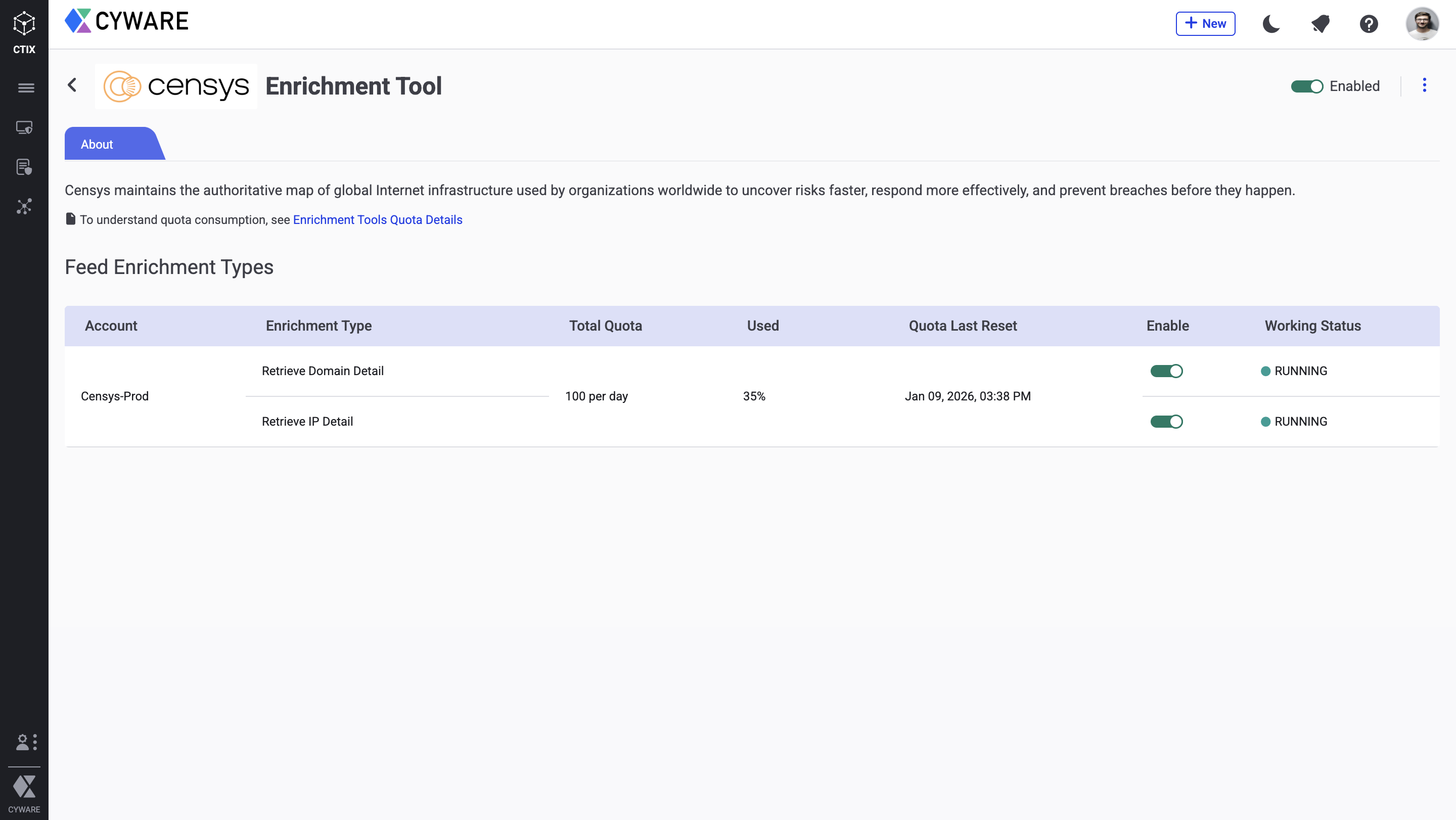
Configure Enrichment Quota
You can also configure a quota to define a limit to the number of enrichment requests Intel Exchange makes to Censys. After the quota expires, you cannot make enrichment requests until the quota resets for the next quota duration. For more information, see Define Quota in Configure Enrichment Tools.
The following table shows the number of API calls and quota units consumed by the Censys enrichment tool for each enrichment:
Enrichment Tool | Feed Enrichment Type | Number of API Calls | Quota Consumed | Endpoint |
|---|---|---|---|---|
Censys | IP | 1 | 1 |
|
Domain | 1 | 1 |
|
You can configure an enrichment policy to automatically enrich threat data objects using the Censys enrichment tool. For more information, see Enrichment Policy.