Available Actions
The Cyware Intel Exchange integration provides actions that allow you to retrieve indicator intelligence, update indicator attributes, and perform operational tasks on indicators stored in Cyware Intel Exchange. You can run these actions manually from a case or automate them through playbooks. The following are the available actions:
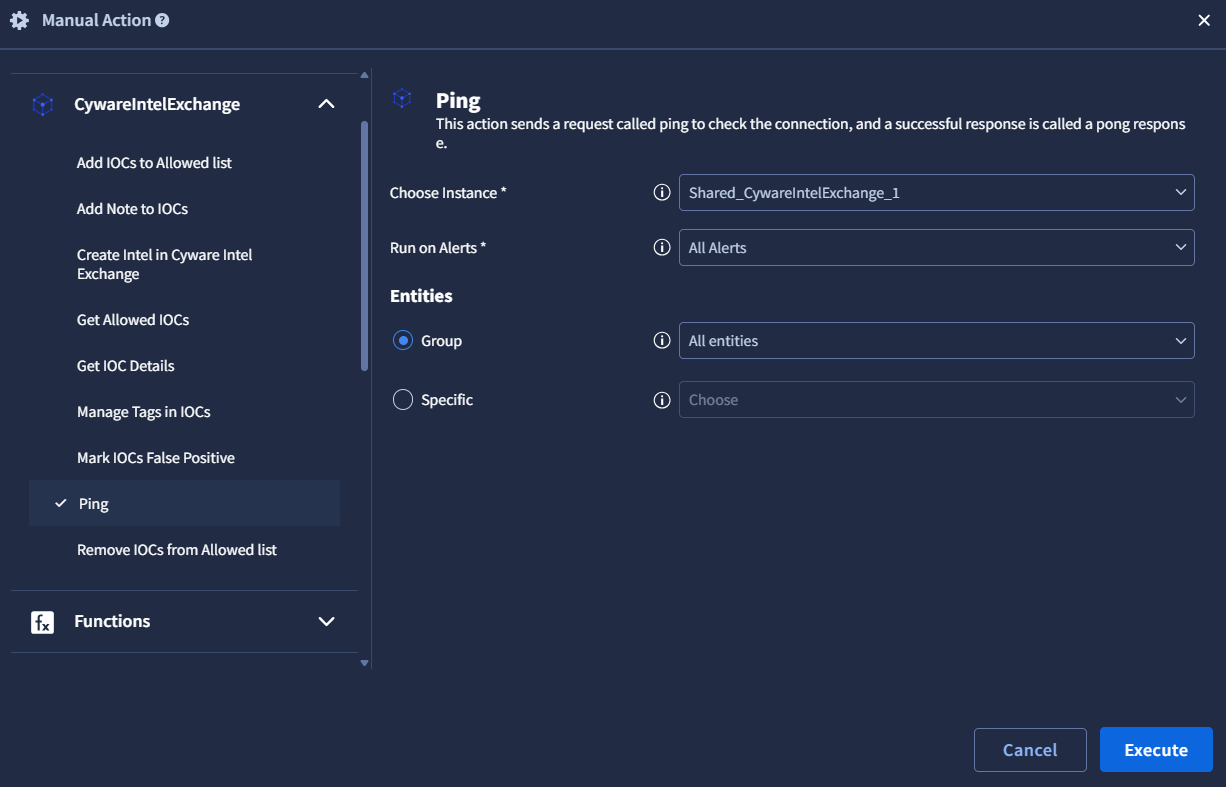
Use this action to verify that the Cyware Intel Exchange integration is configured correctly and that Google SecOps SOAR can successfully connect to the Intel Exchange instance. The Ping action validates the configuration parameters provided during integration setup.
Adds one or more indicators of compromise (IOCs) to the allowed list in Cyware Intel Exchange. Indicators added to the allowed list are treated as trusted or permitted indicators. For more information about passing entities of a specific type or a specific entity to this action, see Invoke Integration Actions.
Input Parameters
Argument Name | Description | Type | Required (Yes / No) | Default Value |
|---|---|---|---|---|
IOC Type | Pass the type of indicator. | List | Yes | ipv4-addr |
Reason | Pass a reason for adding the indicators to the allowed list. | String | No | Allow IOCs from Google SecOps |
Note
The IOC type must match the entity type passed to the action.
Action Output
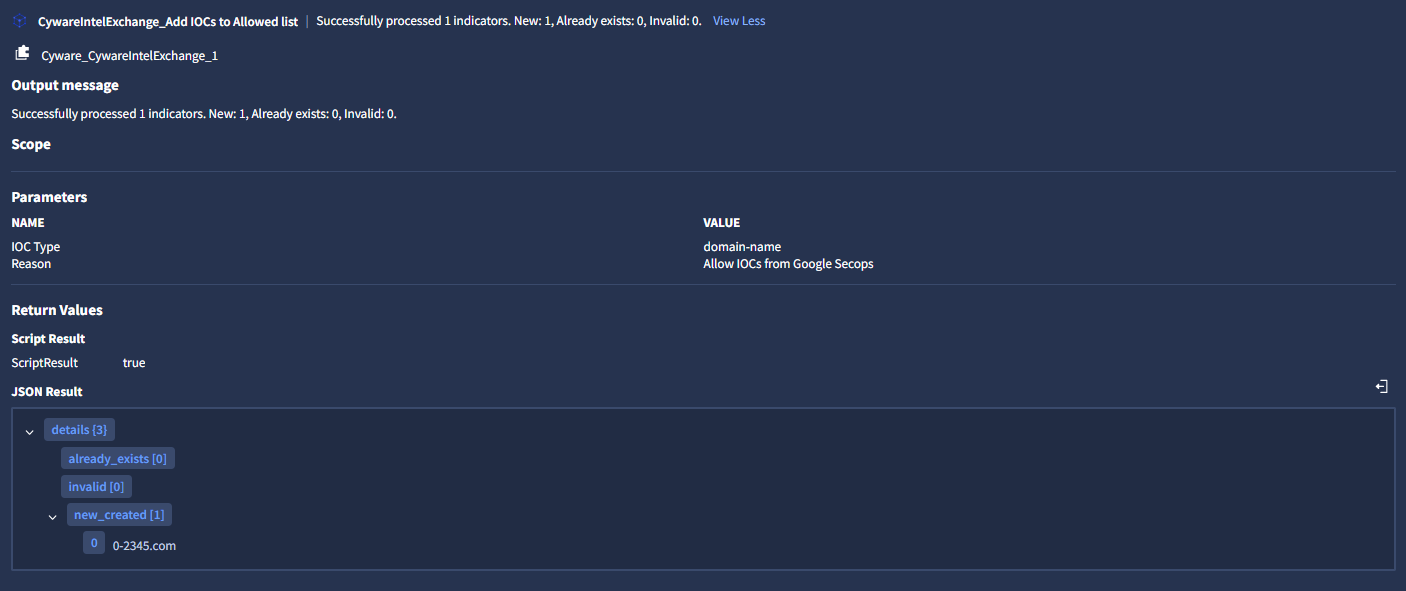
Output JSON
{
    "details": {
        "invalid": [],
        "new_created": [
            "10.50.10.30",
            "10.1.2.3"
        ],
        "already_exists": []
    }
}
Removes one or more indicators from the allowed list in Cyware Intel Exchange. This action uses the entities passed from the case as the indicators to remove. For more information about adding entities, see Invoke Integration Actions.
Input Parameters
This action does not require additional parameters.
Action Output
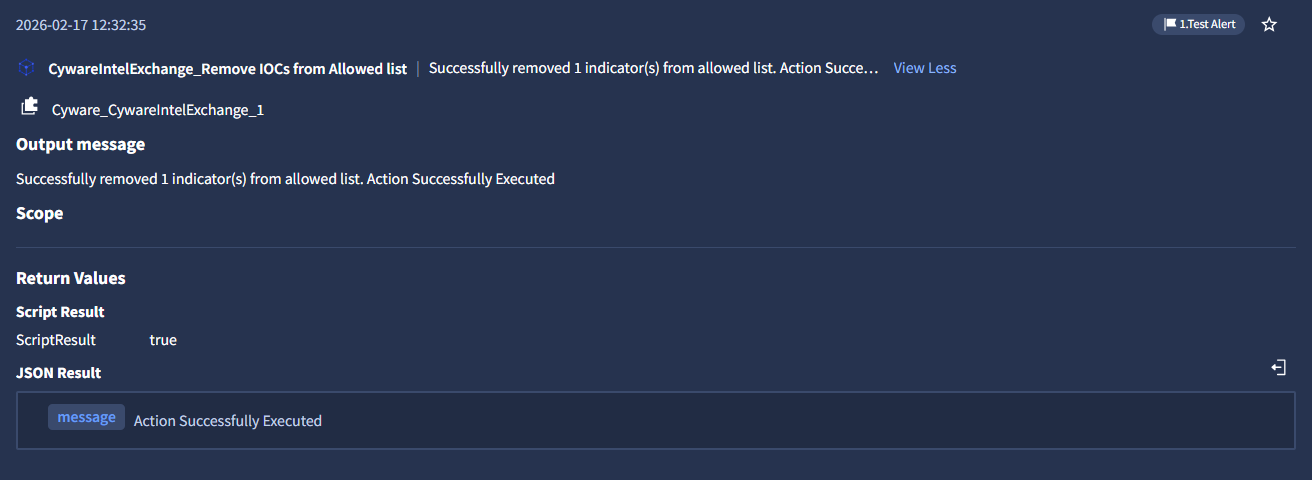
Output JSON
{
    "message": "Action Successfully Executed"
}
Retrieves detailed information about one or more indicators stored in Cyware Intel Exchange. You can optionally pass entities in this action. For more information about adding entities, see Invoke Integration Actions.
Input Parameters
Argument Name | Description | Type | Required (Yes / No) | Default Value |
|---|---|---|---|---|
Enrichment Data | Include enrichment data in results | Boolean | No | False |
Relation Data | Include relations in results | Boolean | No | False |
Fields | Specific fields to get in the response. Example: name,id | String | No | N/A |
Action Output
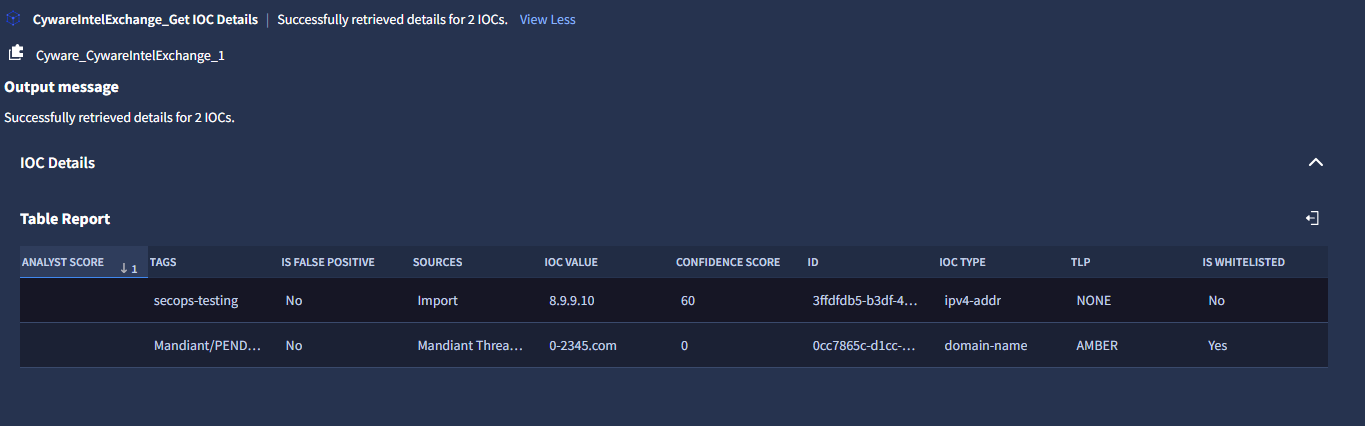
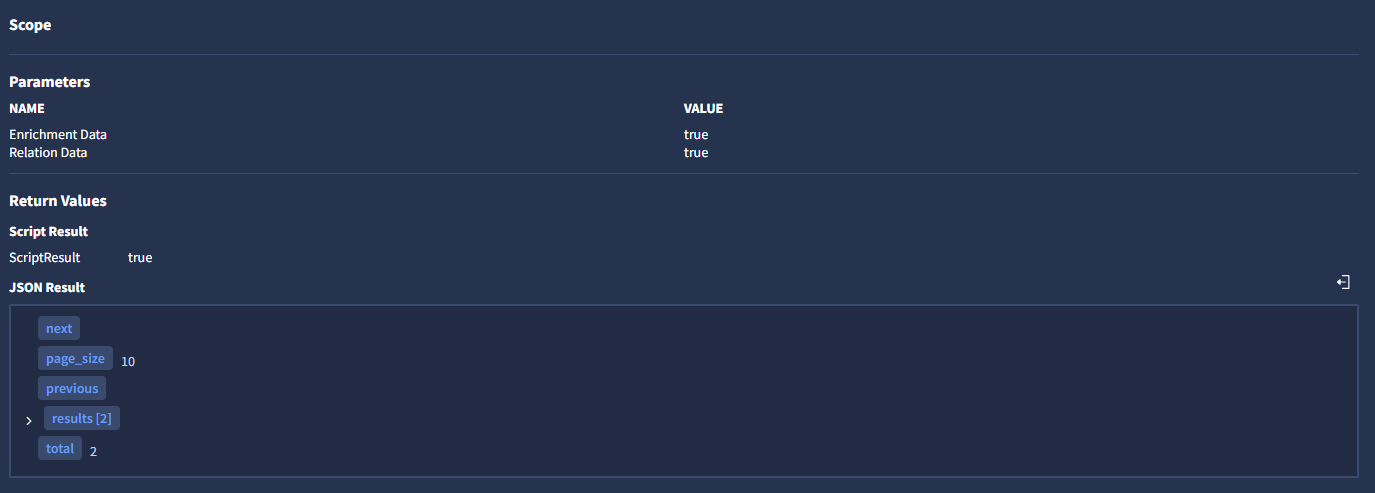
Entity Enrichment
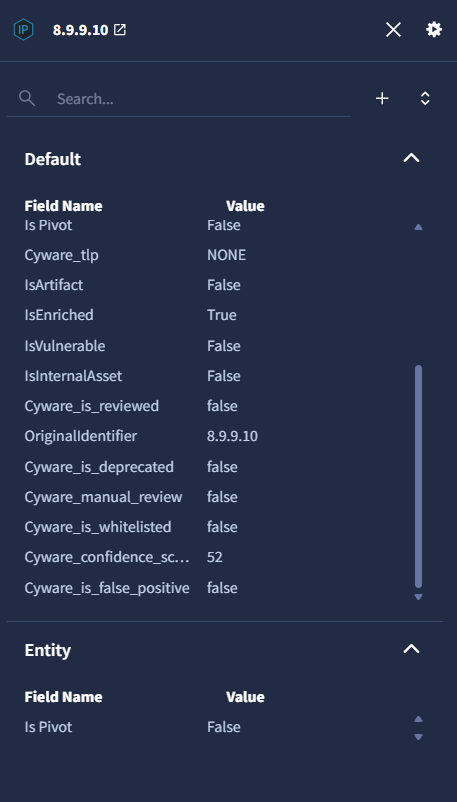
After this action runs, the indicators are enriched in Google SecOps SOAR. To view enrichment details, follow these steps:
In the case wall, go to Overview > Entities Highlights.
Select the entity and click View Details.

The enriched attributes are displayed in the entity details view.
Output JSON
{
    "next": null,
    "previous": null,
    "total": 1,
    "results": [
        {
            "analyst_score": 50,
            "analyst_tlp": "CLEAR",
            "country": "Germany",
            "created": "2025-12-04T10:32:24.000Z",
            "ctix_created": "2025-12-22T16:32:40.427Z",
            "ctix_modified": "2026-01-21T12:46:44.127459+00:00",
            "custom_attributes": null,
            "confidence_score": 81,
            "description": "<ol><li><a href=\"http://google.com\" target=\"_blank\"><strong><u>Test Description</u></strong></a></li></ol>",
            "enrichment_data": [
                {
                    "tool": "MaxMind (GeoIP)",
                    "tool_response": "{\"Geo IP Report\": {\"country\": {\"country_code\": \"DE\", \"country_name\": \"Germany\"}, \"city\": {\"city\": null, \"continent_code\": \"EU\", \"continent_name\": \"Europe\", \"country_code\": \"DE\", \"country_name\": \"Germany\", \"dma_code\": null, \"is_in_european_union\": true, \"latitude\": 51.2993, \"longitude\": 9.491, \"postal_code\": null, \"region\": null, \"time_zone\": \"Europe/Berlin\"}}, \"updated\": 1768999603}"
                }
            ],
            "first_seen": null,
            "id": "11951246-f47f-413a-9006-b85a0fbde7cc",
            "ioc_type": "ipv4-addr",
            "is_deprecated": false,
            "is_false_positive": false,
            "is_reviewed": false,
            "is_whitelisted": false,
            "last_seen": null,
            "modified": "2025-12-22T16:18:34.565Z",
            "name": "1.2.3.4",
            "object_type": "indicator",
            "published_collections": [],
            "relations": {},
            "sources": [
                {
                    "id": "22d3fd00-ed21-4200-9316-f89b79d1d00f",
                    "name": "Alien Vault",
                    "type": "API_FEEDS"
                }
            ],
            "sub_type": null,
            "tags": [
                "multi-stage",
                "extension",
                "remote-access-toolkit",
                "developers",
                "supply-chain"
            ],
            "tlp": "CLEAR",
            "manual_review": false,
            "valid_from": "2025-12-04T10:32:24.000Z",
            "valid_until": "2026-01-03T10:00:00.000Z"
        }
    ],
    "page_size": 10
}
Adds a note to one or more indicators in Cyware Intel Exchange. Notes can be used to record investigation findings or contextual information related to the indicator. For more information about adding entities, see Invoke Integration Actions.
Input Parameters
Argument Name | Description | Type | Required (Yes / No) | Default Value |
|---|---|---|---|---|
Note | The description for the note. | String | Yes | N/A |
Note Type | The type of the note. Example: threatdata | String | Yes | N/A |
Is the Note in Json format | Set to true if the note is in JSON format. | boolean | No | false |
Action Output
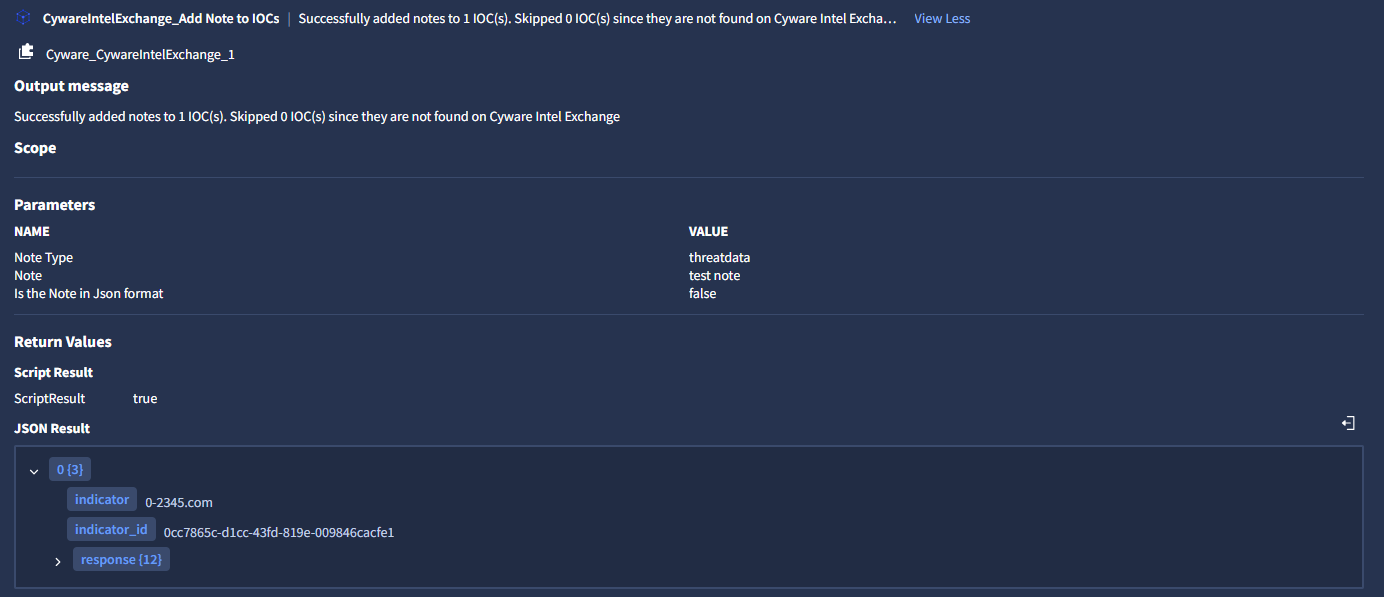
Output JSON
{
    "created": 1768904734,
    "created_by": {
        "email": "abc@gmail.com",
        "first_name": "Jhon",
        "id": "8095d3e5-07b8-4478-b89f-4e75af497173",
        "last_name": "Morgan"
    },
    "id": "21bf89ec-cc79-4346-9e80-afe01c558f0b",
    "is_json": false,
    "meta_data": {},
    "modified": 1768904734,
    "modified_by": {
        "email": "abc@gmail.com",
        "first_name": "Jhon",
        "id": "8095d3e5-07b8-4478-b89f-4e75af497173",
        "last_name": "Morgan"
    },
    "object_id": "a4c05484-8f08-4561-b4e3-d4b29ce13162",
    "source_id": null,
    "text": "This is a test note from secops",
    "title": null,
    "type": "threatdata"
}
Retrieves a list of indicators currently present in the allowed list in Cyware Intel Exchange. You can optionally filter the results by indicator type or creation time. For more information about adding entities, see Invoke Integration Actions.
Input Parameters
Argument Name | Description | Type | Required (Yes / No) | Default Value |
|---|---|---|---|---|
IOC Type | Pass an allowed indicator type to filter the result. Select All for visualizing all indicators. | List | No | All |
Created From | Pass the created from time in epoch format to filter records based on the created time. Example: 1767160932 | Date in epoch | No | N/A |
Action Output
The action returns a table containing the allowed indicators and their associated metadata.
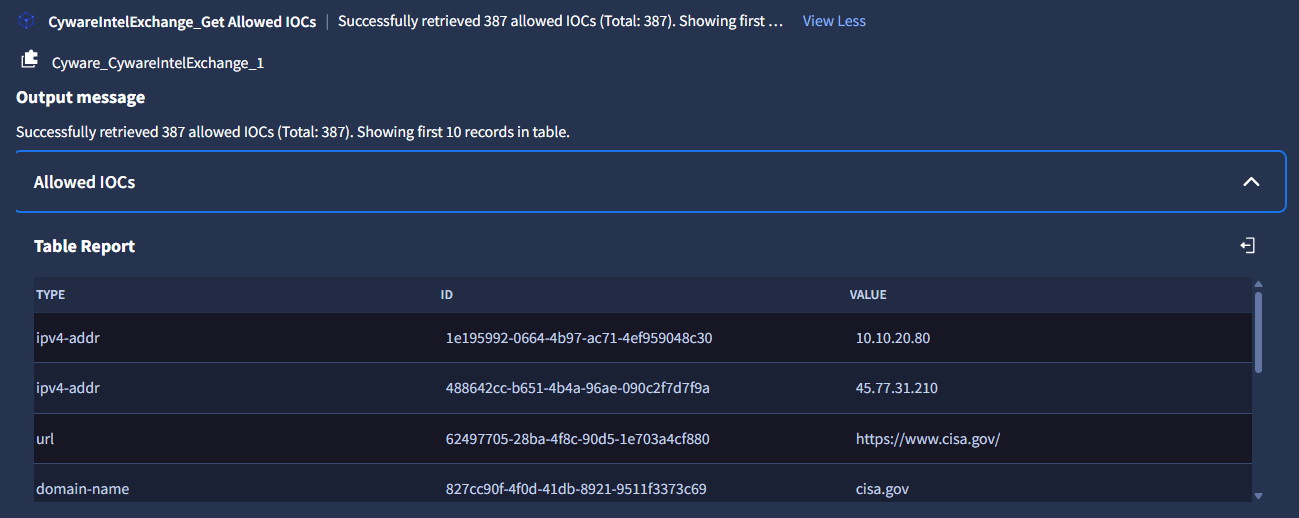
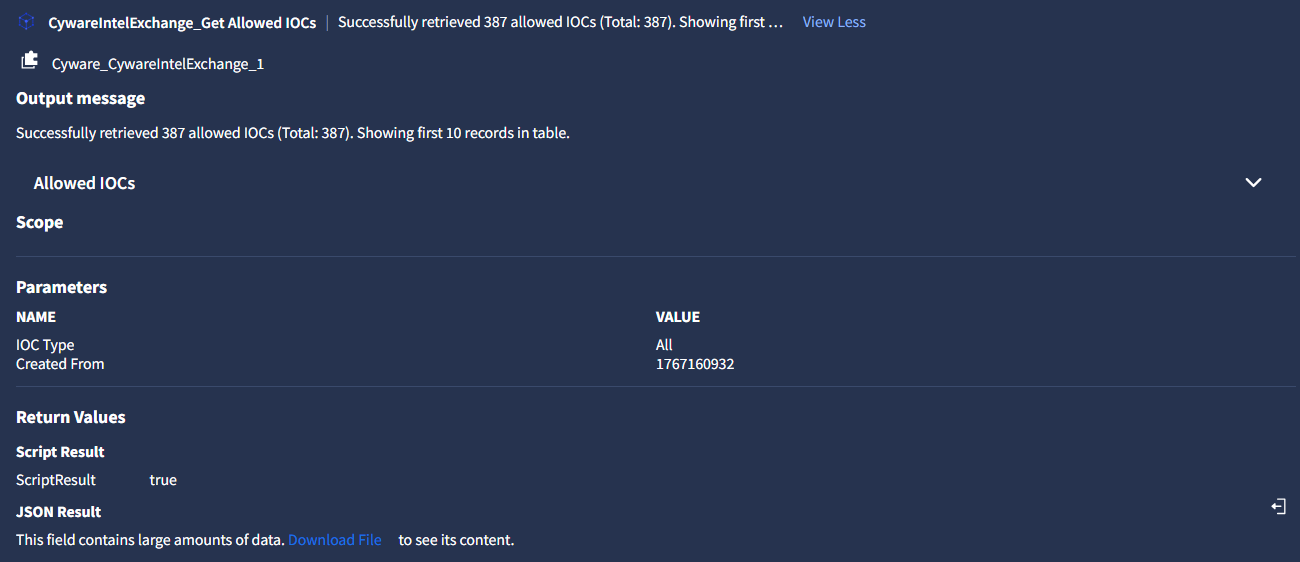
Output JSON
{
    "next": null,
    "page_size": 100,
    "previous": null,
    "results": [
        {
            "created": 1768292011,
            "created_by": {
                "email": "abc@cyware.com",
                "first_name": "jhon",
                "id": "05cb4680-9f14-4f85-a89a-3ccde6ee91c6",
                "last_name": ""
            },
            "id": "ae70e3cb-0963-4616-a402-229a861319a8",
            "include_emails": false,
            "include_subdomains": false,
            "include_urls": false,
            "modified": 1768292011,
            "modified_by": {
                "email": "abc@cyware.com",
                "first_name": "jhon",
                "id": "05cb4680-9f14-4f85-a89a-3ccde6ee91c6",
                "last_name": ""
            },
            "type": "domain-name",
            "value": "example.com"
        }
    ],
    "total": 1
}
Adds or removes tags associated with one or more indicators in Cyware Intel Exchange. Tags help categorize and organize indicators for easier search and analysis. For more information about adding entities, see Invoke Integration Actions.
Input Parameters
Argument Name | Description | Type | Required (Yes / No) | Default Value |
|---|---|---|---|---|
Operation Type | Select the operation type to either add or remove tags. | List | Yes | Add tag |
Tags | Tag names to add to each IOC. Supports comma-separated values. Example: “test-1”, “test-2”, “test-3” | String [List] | Yes | N/A |
Action Output
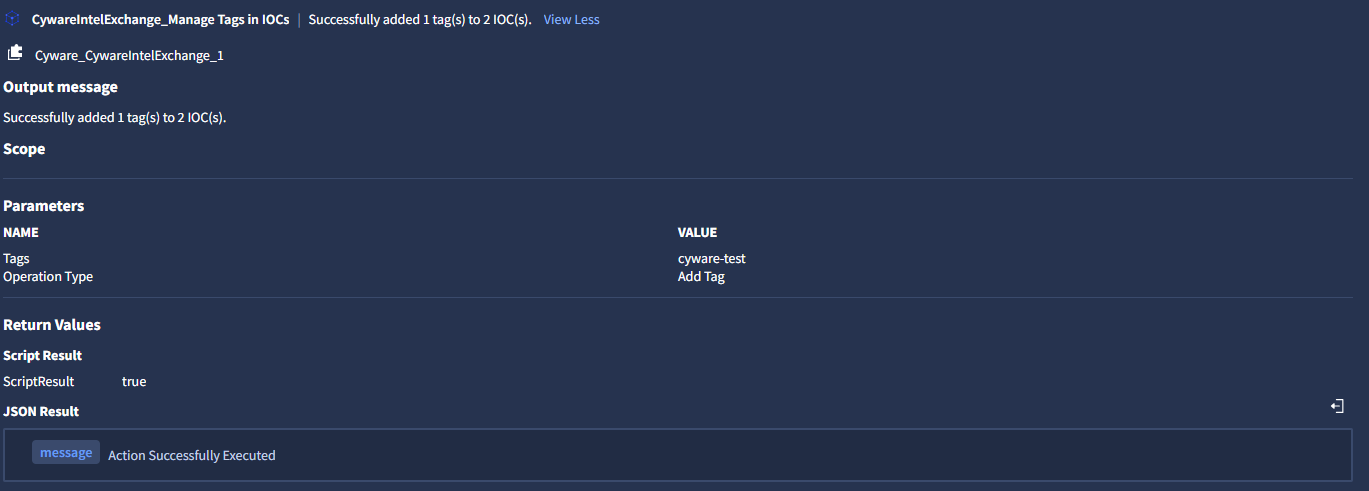
Output JSON
{
    "message": "Action Successfully Executed"
}
Marks one or more indicators as false positives in Cyware Intel Exchange. This action updates the indicator status to indicate that it is not considered malicious. For more information about adding entities, see Invoke Integration Actions.
Input Parameter
This action does not require additional parameters.
Action Output
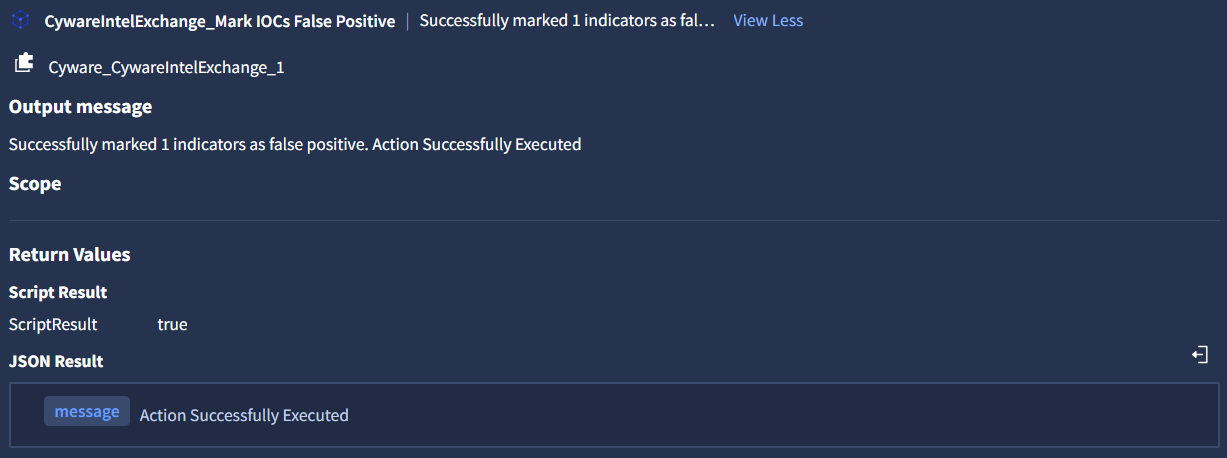
Output JSON
{
    "message": "Action Successfully Executed"
}
Creates a new intel in Cyware Intel Exchange using the indicators provided as entities from the case. This action generates a report object in Intel Exchange and associates the provided indicators with that report. For more information about adding entities, see Invoke Integration Actions.
Input Parameters
Argument Name | Description | Type | Required (Yes / No) | Default Value |
|---|---|---|---|---|
IOC Type | Pass the type of indicator | List | Yes | ipv4-addr |
Title | Pass a title for the intel within 100 characters. The title is added to the report object that is created as part of the quick add intel submission. | String | Yes | [Alert.Name] |
TLP | Pass the TLP value for the intel. | List | No | NONE |
Metadata Confidence Score | Pass a Source Confidence Score for the intel between 0 and 100. | String | No | |
Tags | Pass comma-separated tag names to add to the intel. | String | No | |
Description | Pass a description for the intel within 1000 characters. | String | No | |
Deprecates After | Provide the expiration time of the indicator in Days. The maximum value is 1000 days. | String | No | 180 |
Action Output
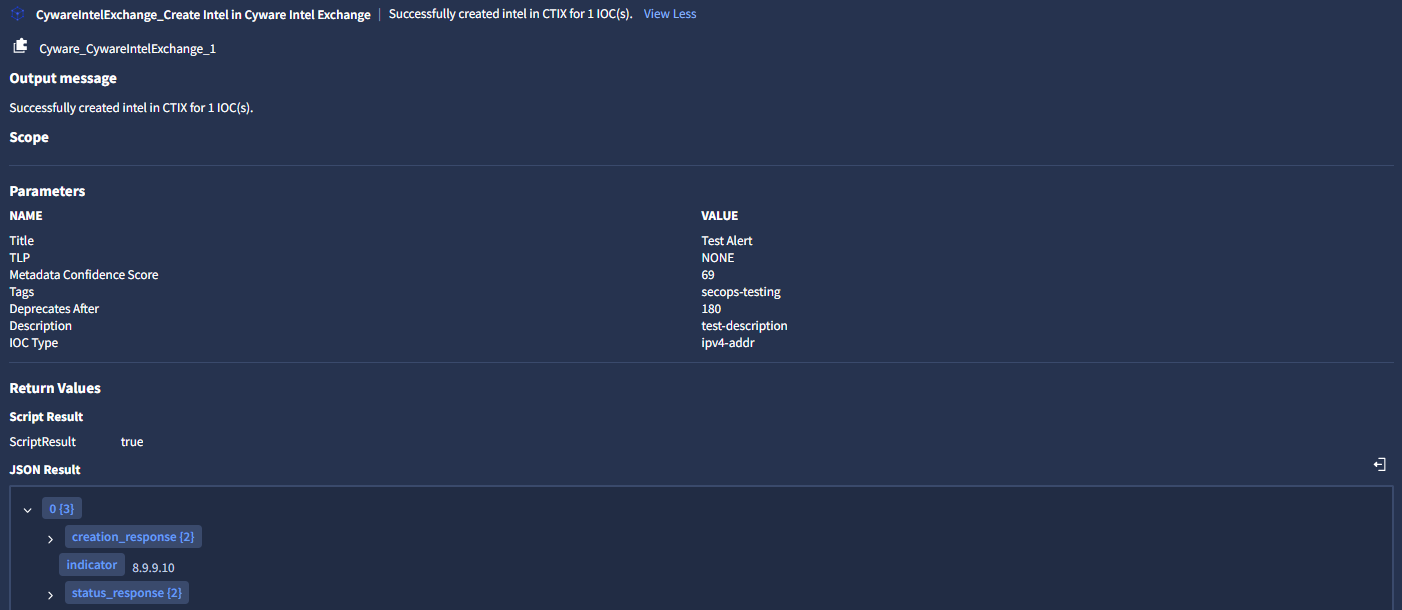
Output JSON
[
    {
        "indicator": "8.9.9.9",
        "creation_response": {
            "details": "You will be notified once the STIX is created",
            "task_id": "111b3a7b-c480-4bcc-8206-b721831e7479"
        },
        "status_response": {
            "report_id": "1117107a-9df5-41df-873f-93f1108744d3",
            "report_status": "CREATED"
        }
    }
]
Creates investigation tasks associated with one or more indicators in Cyware Intel Exchange. Tasks help analysts track follow-up actions related to specific indicators. For more information about adding entities, see Invoke Integration Actions.
Input Parameter
Argument Name | Description | Type | Required (Yes / No) | Default Value |
|---|---|---|---|---|
Text | Pass the description of the task to be performed. The maximum character limit is 2000. | String | Yes | |
Priority | Select the priority of the task. | List | Yes | medium |
Status | Select the status of the task. | List | Yes | not_started |
Deadline | Provide the deadline of the task in Days. The maximum value is 365 days | String | Yes | 30 |
Assignee Email ID | Pass the Email ID of a valid user to assign the task. If not provided, then it will create an unassigned task. | String | No |
Action Output
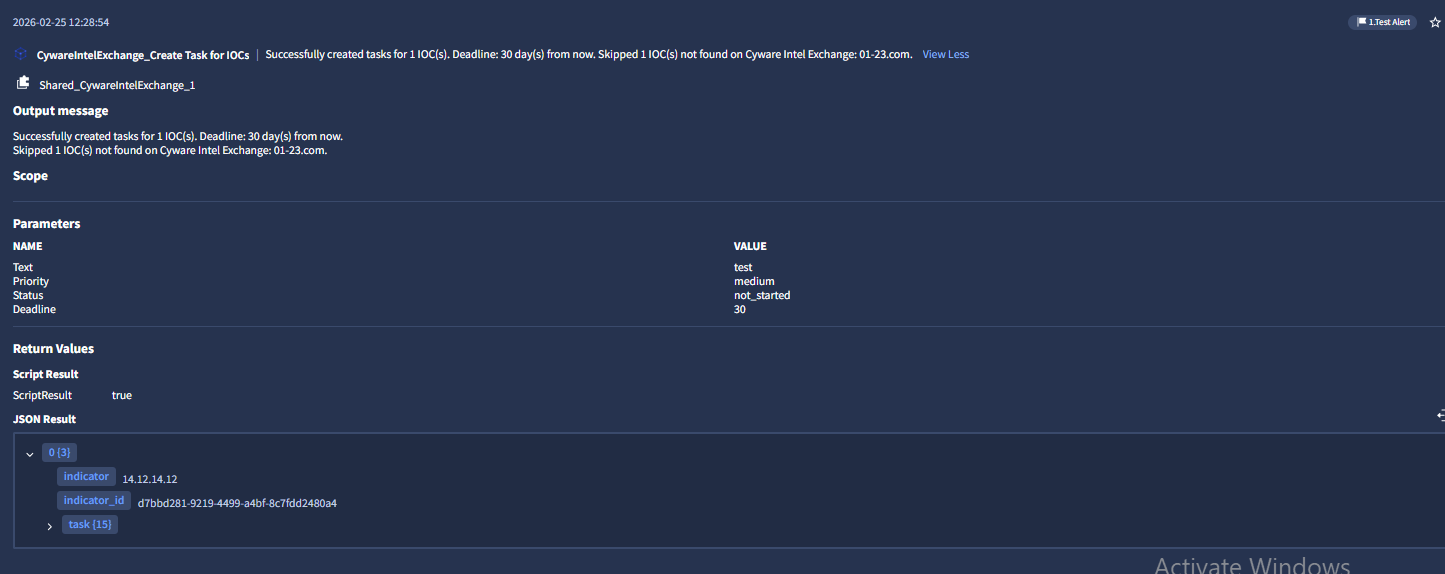
Output JSON
[
    {
        "indicator": "45.77.31.210",
        "indicator_id": "1bdc83ec-81f2-4b25-8dc8-042b3fddf7c4",
        "task": {
            "assignee": {
                "email": "john@google.com",
                "first_name": "John",
                "id": "8095d3e5-07b8-4478-b89f-4e75af497173",
                "last_name": "Brook"
            },
            "closure_comment": null,
            "completed_on": null,
            "created": 1772012073,
            "created_by": {
                "email": "john@google.com",
                "first_name": "John",
                "id": "8095d3e5-07b8-4478-b89f-4e75af497173",
                "last_name": "Brook"
            },
            "deadline": 1774604072,
            "id": "c753de92-a042-4613-b7ba-f1951a20d1ee",
            "is_removed": 0,
            "meta_data": {},
            "modified": 1772012073,
            "object_id": "1bdc83ec-81f2-4b25-8dc8-042b3fddf7c4",
            "priority": "low",
            "status": "in_progress",
            "text": "Secops case low in_progress",
            "type": "indicator"
        }
    },
    {
        "indicator": "14.12.14.12",
        "indicator_id": "d7bbd281-9219-4499-a4bf-8c7fdd2480a4",
        "task": {
            "assignee": {
                "email": "john@google.com",
                "first_name": "John",
                "id": "8095d3e5-07b8-4478-b89f-4e75af497173",
                "last_name": "Brook"
            },
            "closure_comment": null,
            "completed_on": null,
            "created": 1772012073,
            "created_by": {
                "email": "john@google.com",
                "first_name": "John",
                "id": "8095d3e5-07b8-4478-b89f-4e75af497173",
                "last_name": "Brook"
            },
            "deadline": 1774604072,
            "id": "3994e088-67c0-442d-adc6-1acb2094ce41",
            "is_removed": 0,
            "meta_data": {},
            "modified": 1772012073,
            "object_id": "d7bbd281-9219-4499-a4bf-8c7fdd2480a4",
            "priority": "low",
            "status": "in_progress",
            "text": "Secops case low in_progress",
            "type": "indicator"
        }
    }
]