Blocks
The Cyware Intel Exchange integration includes reusable blocks that simplify automation workflows in Google SecOps SOAR. Blocks contain predefined logic that can be reused across multiple playbooks, helping you build playbooks faster and maintain consistent processing steps. You can install these blocks from the Content Hub and use them as building blocks when creating or customizing playbooks.
Install Blocks
Install the blocks from the Content Hub to make them available for use in playbooks.
Steps
To install a block, follow these steps:
Log in to the Google SecOps SOAR platform.
From the sidebar, click Content Hub. The Content Hub displays integrations, playbooks, and other automation content available for installation.
Select the Playbooks & Blocks tab, and search for Cyware Intel Exchange.
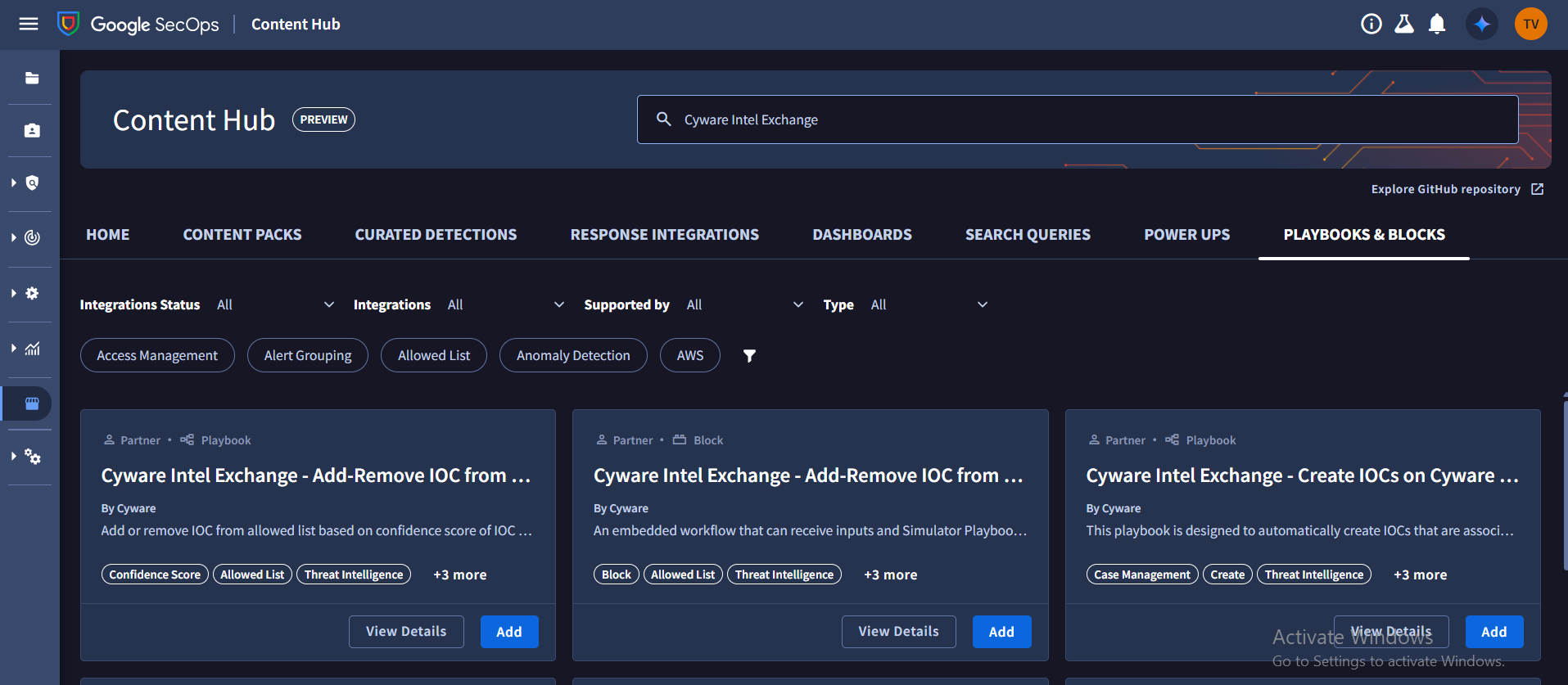
To install a block, locate the required block in the list and click Add.
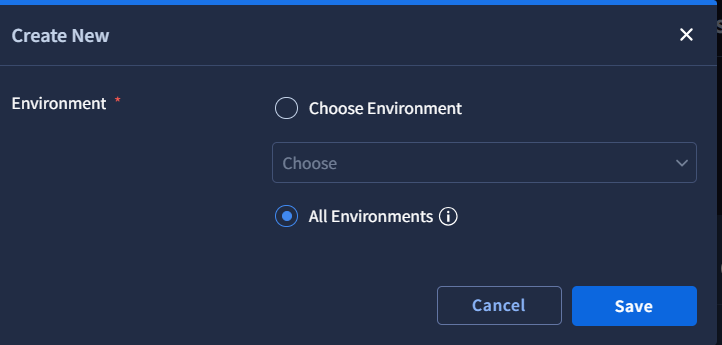
Select All Environments to install the blocks across environments, and then click Save.
After installation, the blocks become available when creating or editing playbooks.