Playbooks
The Cyware Intel Exchange integration provides prebuilt playbooks that help automate common threat-intelligence workflows in Google SecOps SOAR. These playbooks combine Cyware Intel Exchange actions with automation logic to perform tasks such as indicator enrichment, IOC management, tagging, and ticket creation. You can install these playbooks from the Content Hub and customize them to align with your investigation and response workflows.
Install Playbooks
Install the playbooks from the Content Hub to make them available in your Google SecOps SOAR environment.
Steps
To install a playbook, follow these steps:
Log in to the Google SecOps SOAR platform.
From the sidebar, click Content Hub. The Content Hub displays integrations, playbooks, and other automation content available for installation.
Select the Playbooks & Blocks tab, and search for Cyware Intel Exchange.
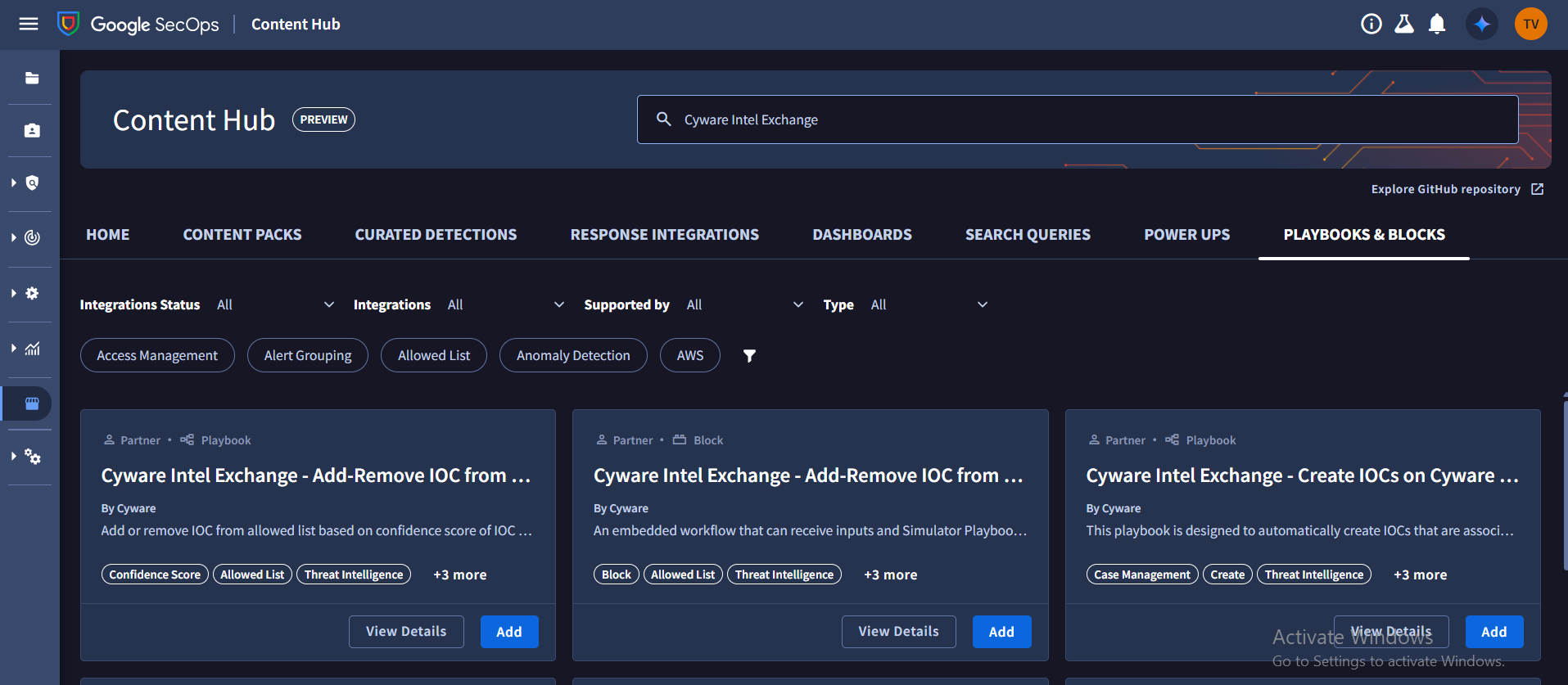
To install a playbook, locate the required playbook in the list and click Add.
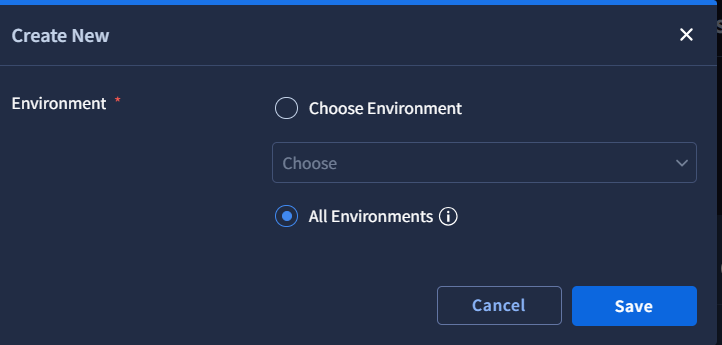
Select All Environments to install the playbooks across environments, and then click Save.
Go to Response > Playbooks. View the Content Hub Playbooks folder to view the installed playbooks.
By default, newly installed playbooks are disabled. To enable a playbook, open the playbook and turn on the toggle next to the playbook name. Click Save to apply the changes.
Note
Each playbook requires a trigger condition that determines when the playbook runs.
The default trigger is configured to run on all ingested alerts, so the playbooks are disabled by default.
Review and update the trigger conditions before enabling the playbooks to ensure they match your operational requirements.
Install Other Utilities for Playbook
Some playbooks depend on additional utilities and integrations to perform certain automation tasks. Install and configure these dependencies before running the playbooks.
Steps
To install additional utilities, follow these steps:
Go to Content Hub.
Go to Power Ups and search for Functions. Click Install and configure the functions by clicking Configure.
To install required response integrations, go to Response Integrations, and use the following information:
Search for Siemplify, and then click Install. Configure the integration after installation.
Search for Jira, and then click Install. Configure the integration after installation.
These utilities enable the playbooks to execute functions and create Jira tickets during automated workflows.