Release Notes 3.8.11 (Early Access)
January 27, 2026
We are excited to introduce you to the latest version of Collaborate v3.8.11 (EA). This release includes new features, enhancements, and minor bug fixes.
Analyst Portal
Notifications New
The Analyst Portal now includes notifications that allow you to view recent updates across Alerts, Intelligence Requirements (IRs), Requests for Information (RFIs), and Intel Submissions. Each notification redirects you to the relevant item, enabling quick review and action.
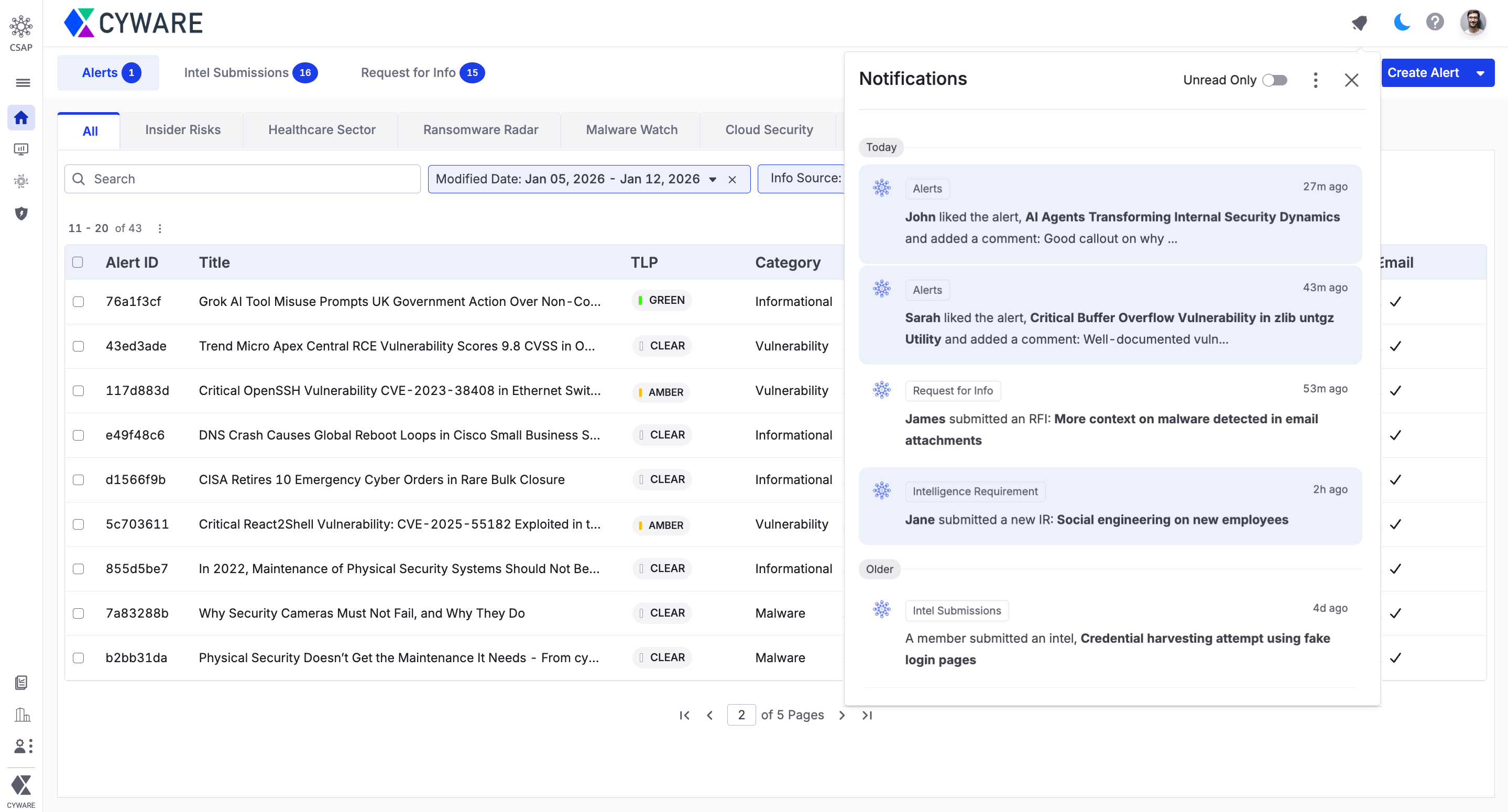
For more information, see Collaborate Notifications.
Alerts Enhanced
Editing published alerts is no longer limited by time, allowing you to make updates whenever necessary without expiring the previous alert. While republishing, you can choose to feature the edited alert at the top of recipients’ lists for quick visibility. Recipients see an Edited label on all edited alerts, indicating that the alert has been modified.
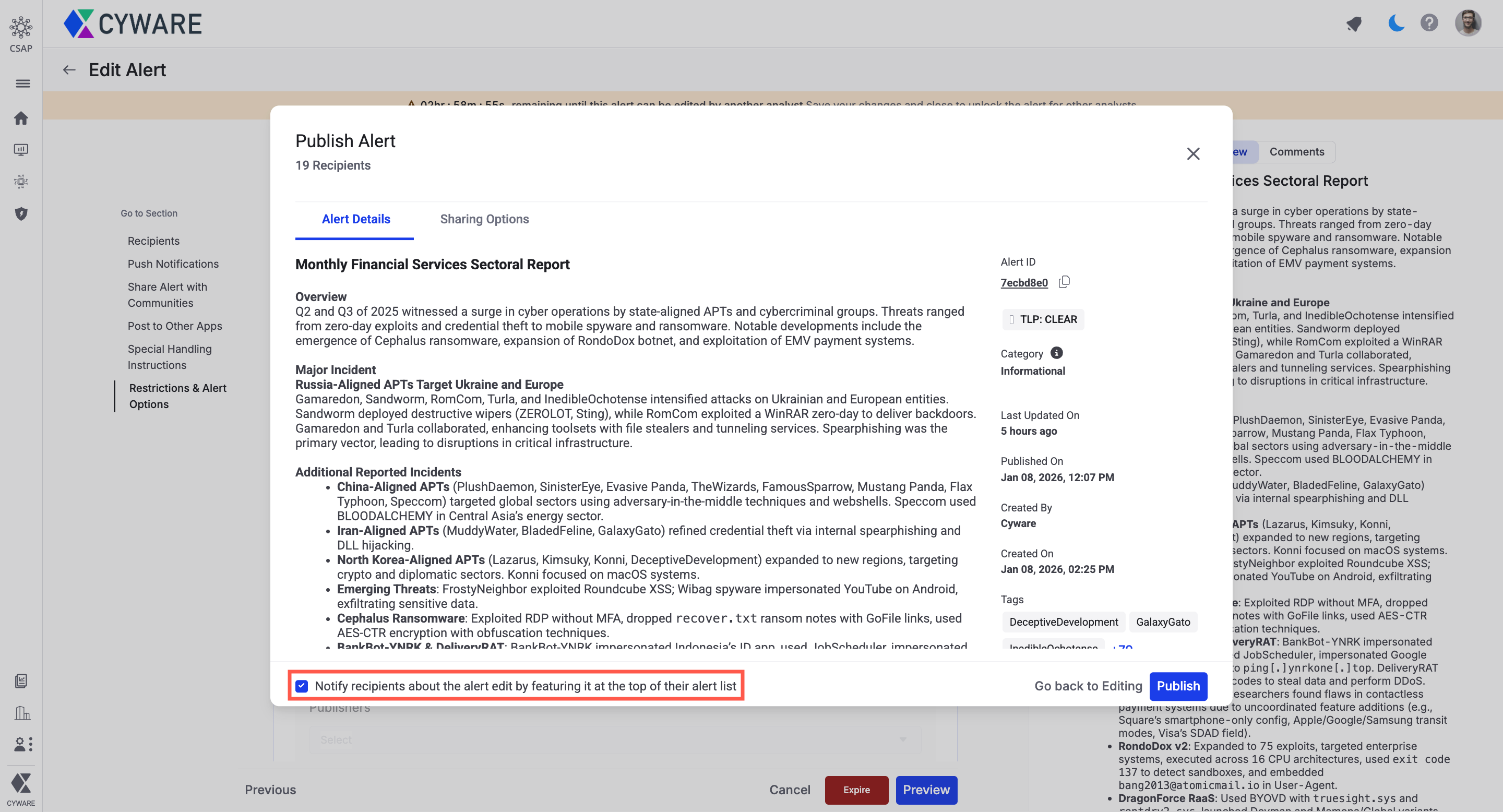
For more information, see Edit Alerts.
Analyst Portal Dark Mode New
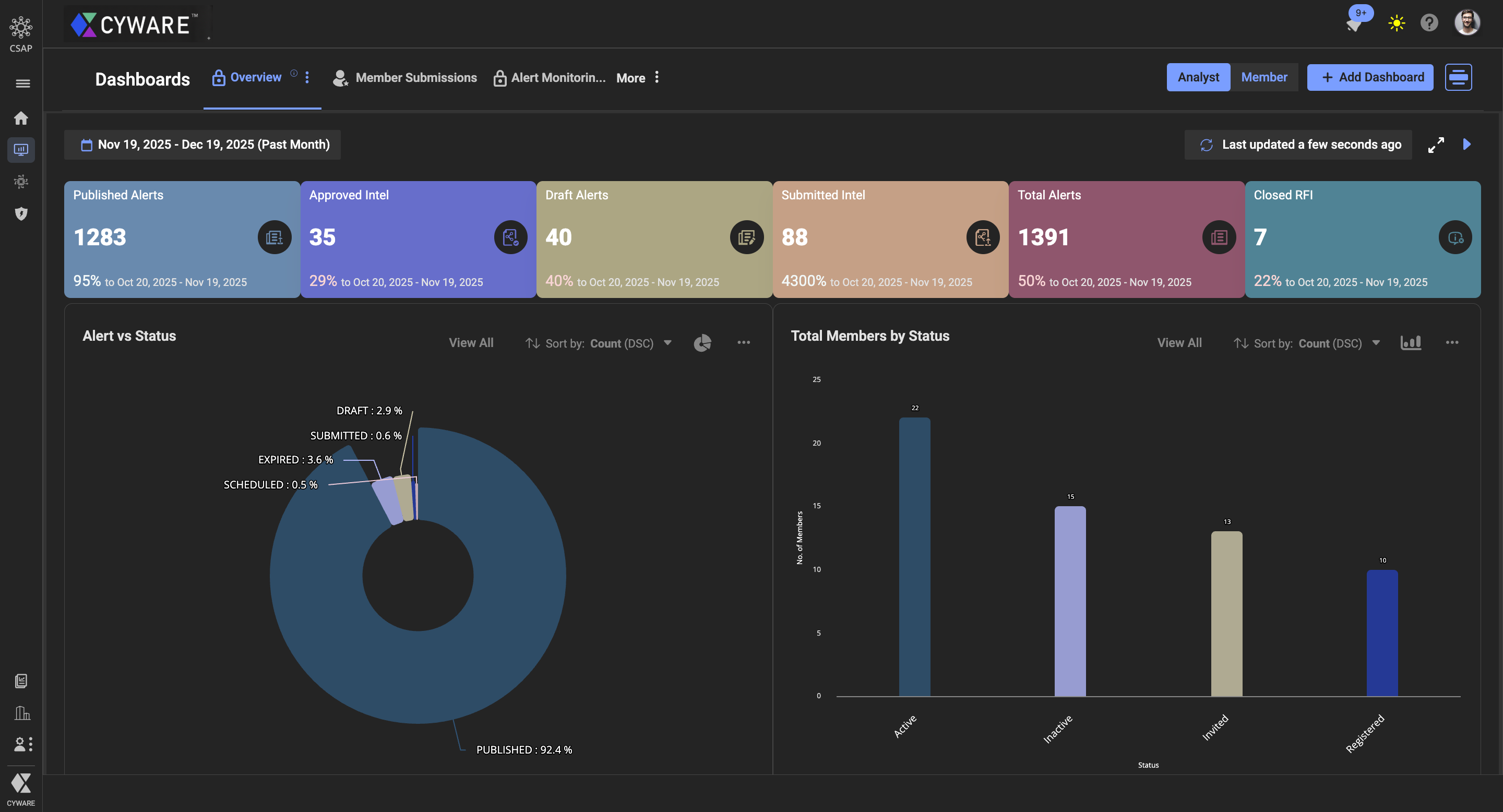
The Analyst Portal now supports dark mode, enhancing readability and focus. Additionally, the new header aligns notifications, profile settings, help, and theme settings to simplify access.
RSS Advisory Management Enhanced
RSS Advisory in Advisory Management now offers better control over feed monitoring and management. As an analyst, you can perform the following actions:
Review Feed Health: Spot feeds that are unreachable or have not published new content for a long time under the Unreachable Sources and Dormant Sources tabs in the Feed Health section.
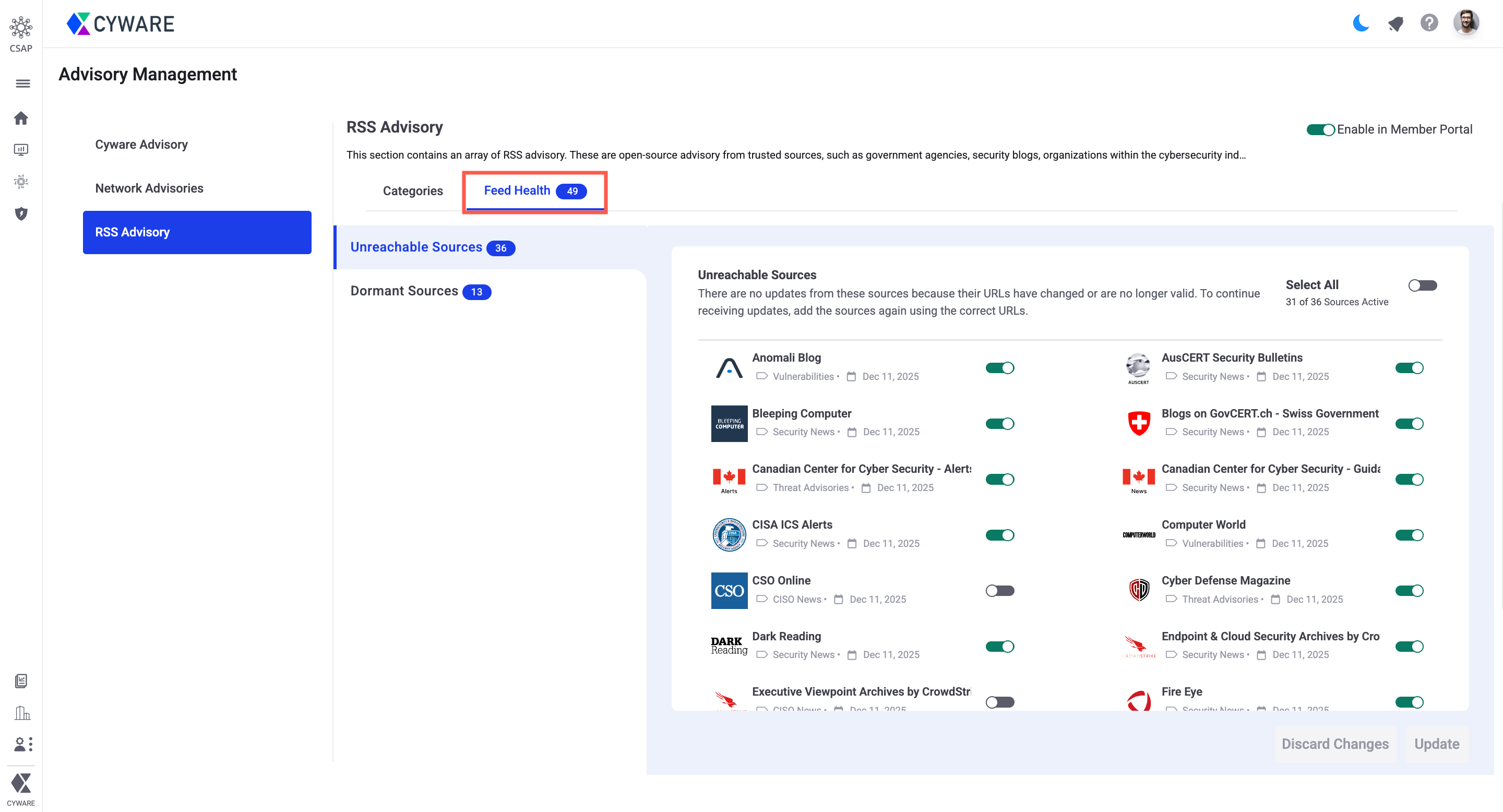
Streamline Feed Management: Track when each RSS source was last updated and maintain up-to-date sources.
For more information, see Manage RSS Advisory Sources.
Other Enhancements
Attach Alert Indicators as STIX Bundles: While creating alerts, you can now attach indicators as a STIX 2.1 bundle, enabling standardized exchange of threat data. For more information, see Enter Basic Information.
In the new alert creation form, the following enhancements are available:
Attachments: In Additional Information > Attachments, you can now select the destination folder while uploading files from your device, ensuring attachments are organized.
Indicators: In Basic Information > Indicators, after parsing indicators, Fang/Defang actions are now directly accessible for Blocked Indicators, reducing the need for additional clicks.
Improved Alert Listing: In the alerts listing page, alert titles now have more space for better visibility, with a simplified TLP display.
Enhanced Alert Sharing Rules: In Administration > Community Sharing > Rules, you can now create alert sharing rules with more detailed conditions. You can include Tags and Alert Title along with Category and TLP, while the interface guides you with a cleaner, dynamic layout that shows relevant category-specific fields. For more information, see Alert Rules.
RSS Feed Status Filter: In RSS Feeds, you can now filter articles using the Status filter to view Read or Unread items, making it easier to prioritize new articles. For more information, see RSS Feeds.
Refined Alert Image Display: Alert images now appear more compact, reducing scrolling and making alerts easier to review.
Member Portal
Notifications New
The Member Portal now includes notifications that keep you informed about responses and updates to your RFIs, Intel submissions, IRs, Alerts, and assigned actions. Each notification redirects you to the relevant item, making it easier to track progress.
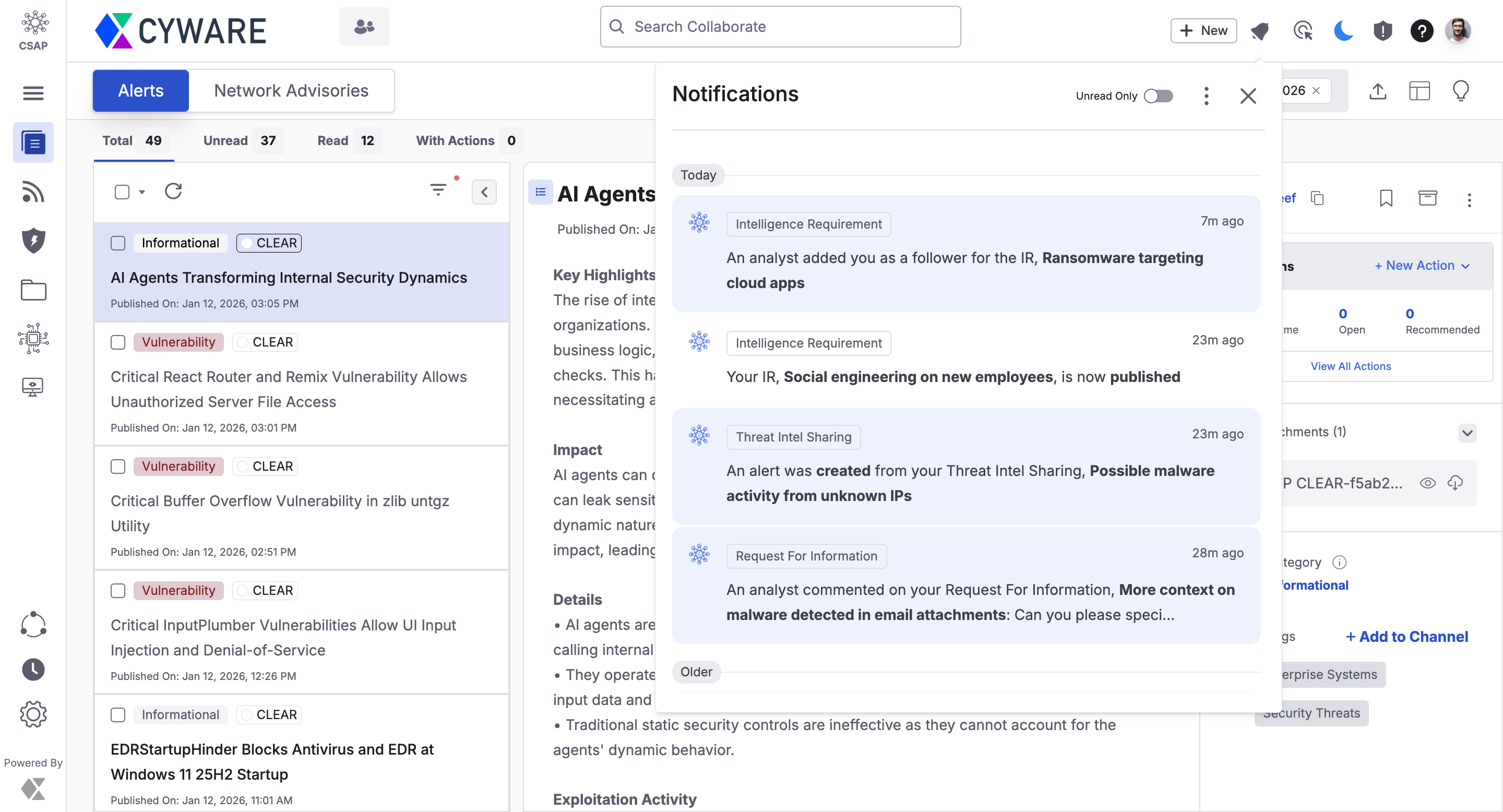
For more information, see Collaborate Notifications.
RSS Feeds Enhanced
The RSS Feeds interface now offers a more intuitive browsing with a better user experience with the following key updates:
Search and Filter Articles: Use keywords and filters (Category, Source, Status, Reported Date) to find content quickly.
Browse Efficiently: View recent articles first and switch between All, Bookmarked, and Archived feeds.
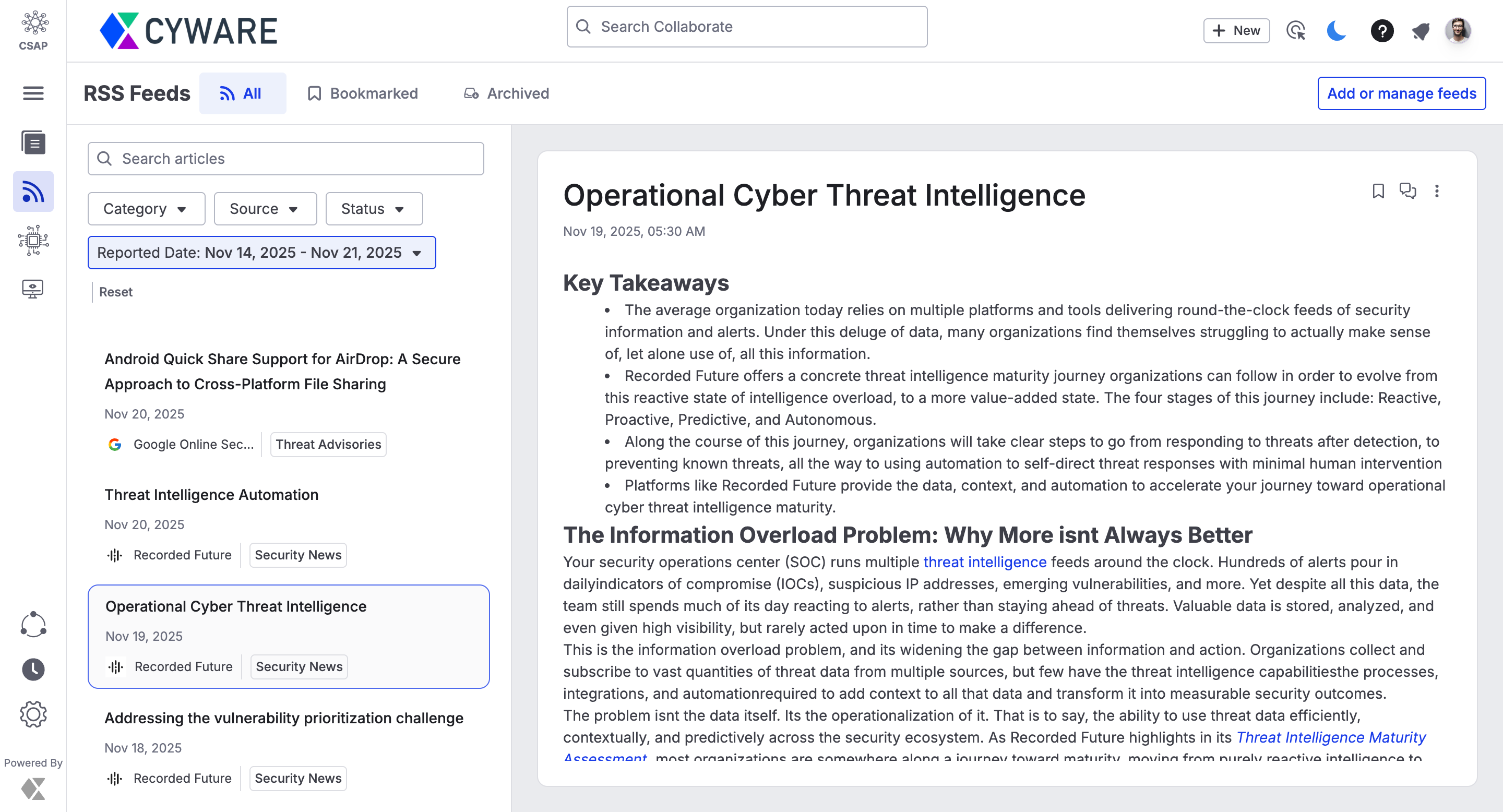
For more information, see RSS Feeds.
Alerts Enhanced
Alert edits are now more transparent, with the following enhancements:
Identify Edited Alerts: Edited alerts display a clear Edited label and surface at the top of the list when republished, ensuring recent changes are easy to notice.
Filter Alerts by Date: Filter alerts by published date or last edited date to focus on new or recently updated alerts.
View Alert Timestamps: Published and edited timestamps are shown in the alert list and alert details to provide context on updates.
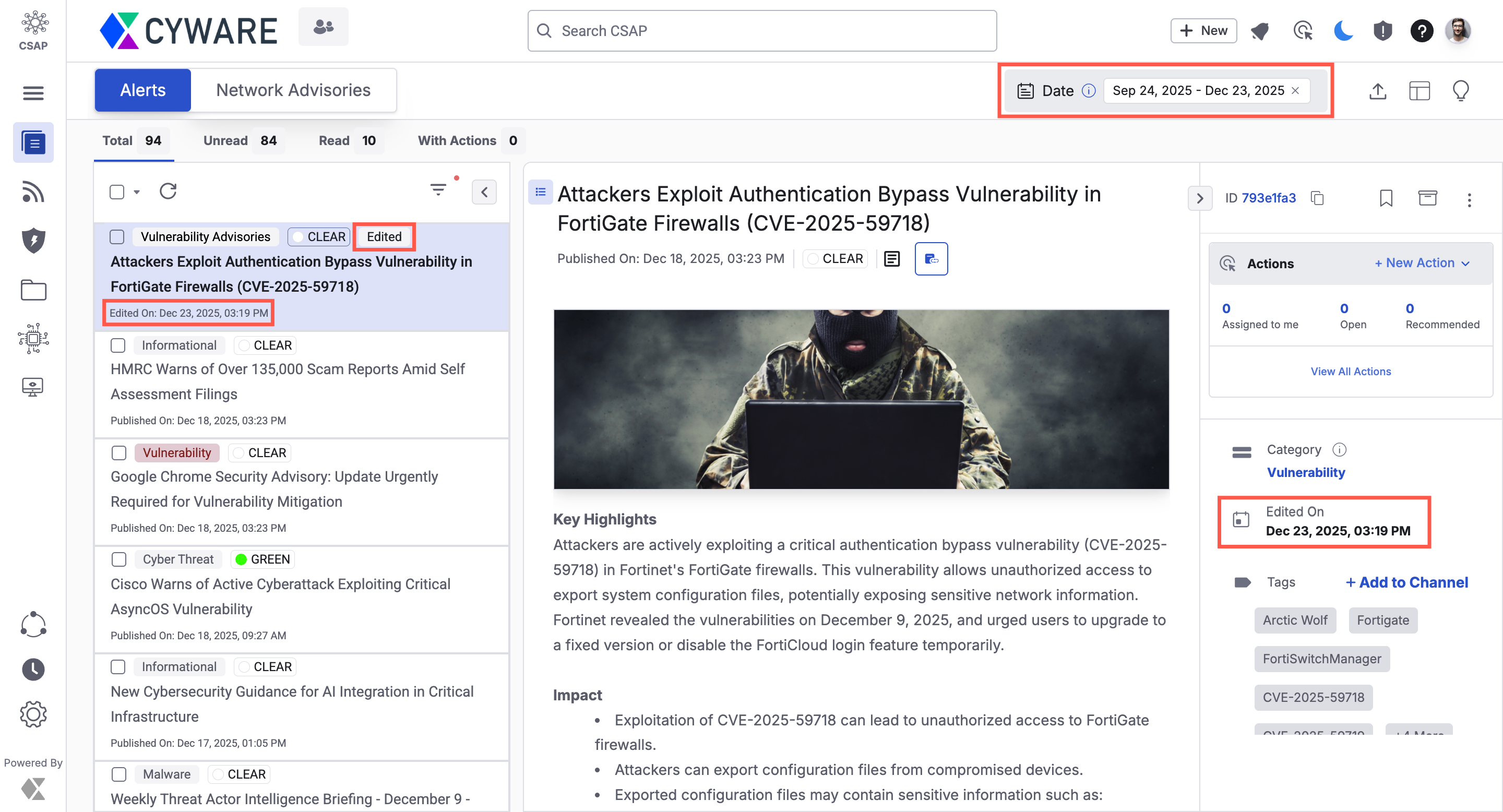
For more information, see View Alerts.
Cyware Enterprise Mobile App Enhanced
To access Collaborate v3.8.11.0 on mobile, you must update the Cyware Enterprise Mobile App to v4.2.22 or later. The app also works with earlier Collaborate versions, allowing updates in advance.
Other Enhancements
Delete Draft Submissions: You can now delete draft intel submissions you no longer need, keeping your workspace organized and free of unused drafts. For more information, see Create Threat Intel.
Filter by Title: You can now filter members by Title in the Member Directory and Member Management Settings, helping you quickly locate members by role or designation.
Refined Alert Image Display: Alert images now appear more compact, reducing scrolling and making alerts easier to review.
Open API Enhancements
The following APIs are updated:
Get Member Channels API (
{{server}}csapapi/v1/channels/): New endpoint for Member users to retrieve a list of channels by channel type (default_channel,my_channel, orsubscribed_channel), returning channel details, tags, and more. For more information, see Get Member Channels.Get Alerts API (
{{server}}csap/v1/get_alerts/): Enhanced to support the filtering of alerts using thechannel_idsquery parameter. This enhancement is available for both Analyst and Member users. For more information, see Get Alerts.