Create Automation Rules
As a part of Automated Collective Defense (ACD), you can create rules to automate the process of handling intel that is detected by integrations or shared with you by the network. This reduces the time spent manually actioning on this intel.
Before you Start
Ensure that detection and actioning integrations are configured. For more information, see Configure ACD Integrations.
Steps
To create an automation rule, follow these steps:
In the Member Portal, go to Automated Collective Defense > Automation Rules.
Click Create. Use the following information while creating rules:
Enter the title for the rule. This title helps you identify the rule for your reference. For example, Rule to send malicious indicators to SIEM.
Select the trigger for the rule. If you select Intel detected from Integrations, then the rule is labeled as a Sharing rule. If you select Intel received in Network Collection, then the rule is labeled as an Actioning rule.
Note
Sharing rules are triggered whenever new indicators are added, while actioning rules run every five minutes to process newly added indicators.
Select any conditions followed by the trigger. You can add a maximum of two conditions for a rule.
Select the actions based on the trigger. If you are creating an actioning rule, you can select one or more playbooks that should be triggered when the conditions are met.
To create the rule, click Save.
Note
When you create a sharing rule for hashes, only MD5, SHA-1, SHA-256, and SHA-512 hashes are supported for automated sharing. Additionally, email addresses will not be automatically shared with the network using sharing rules.
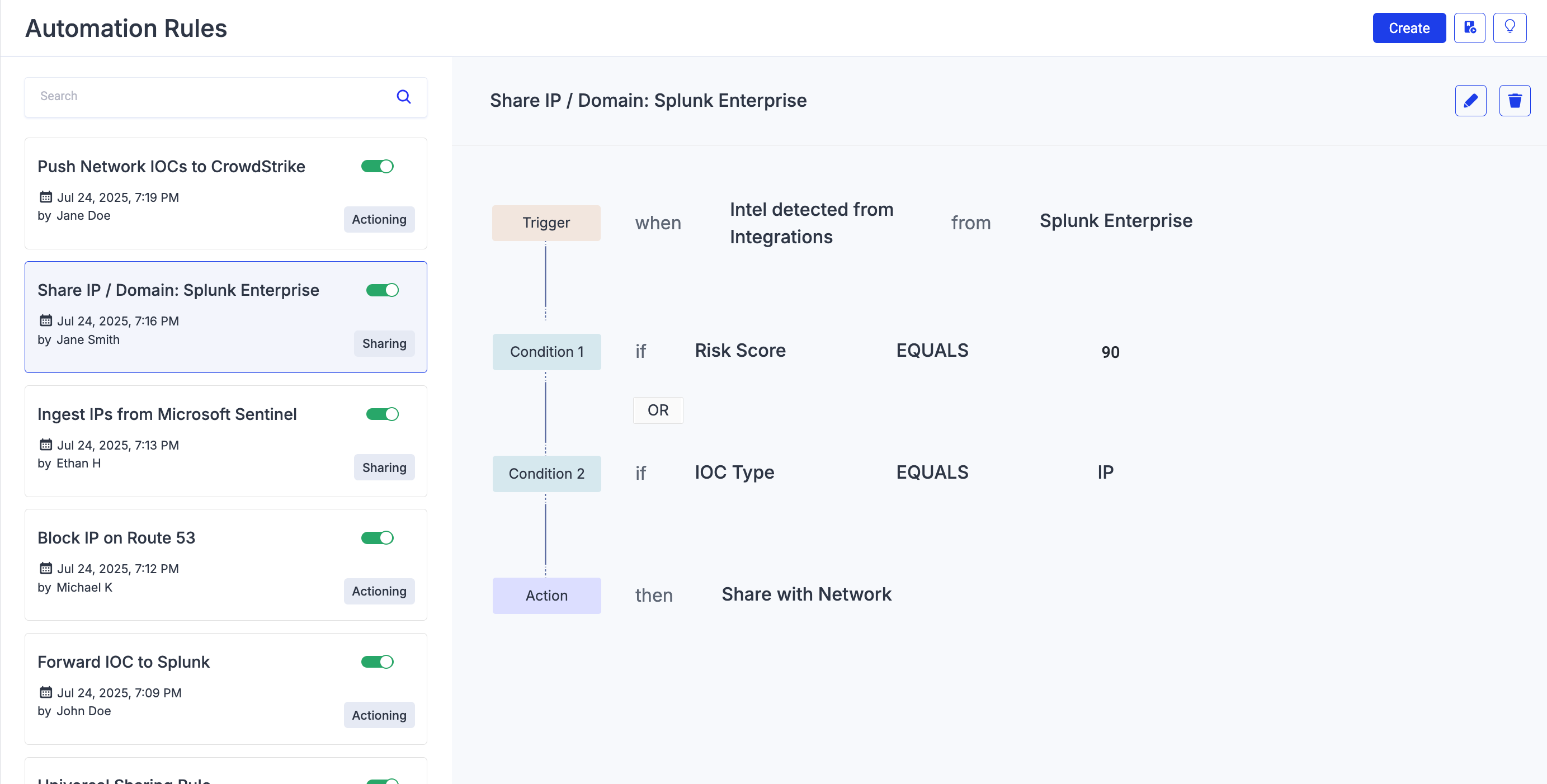
Example 1: Sharing Rule
The following example is a sharing rule for IP addresses detected from Splunk Enterprise with a risk score equal to 90. When the IP addresses are available in Intel Repository > My Collection > All Detected, they are automatically shared with the network (sharing community) for further analysis.
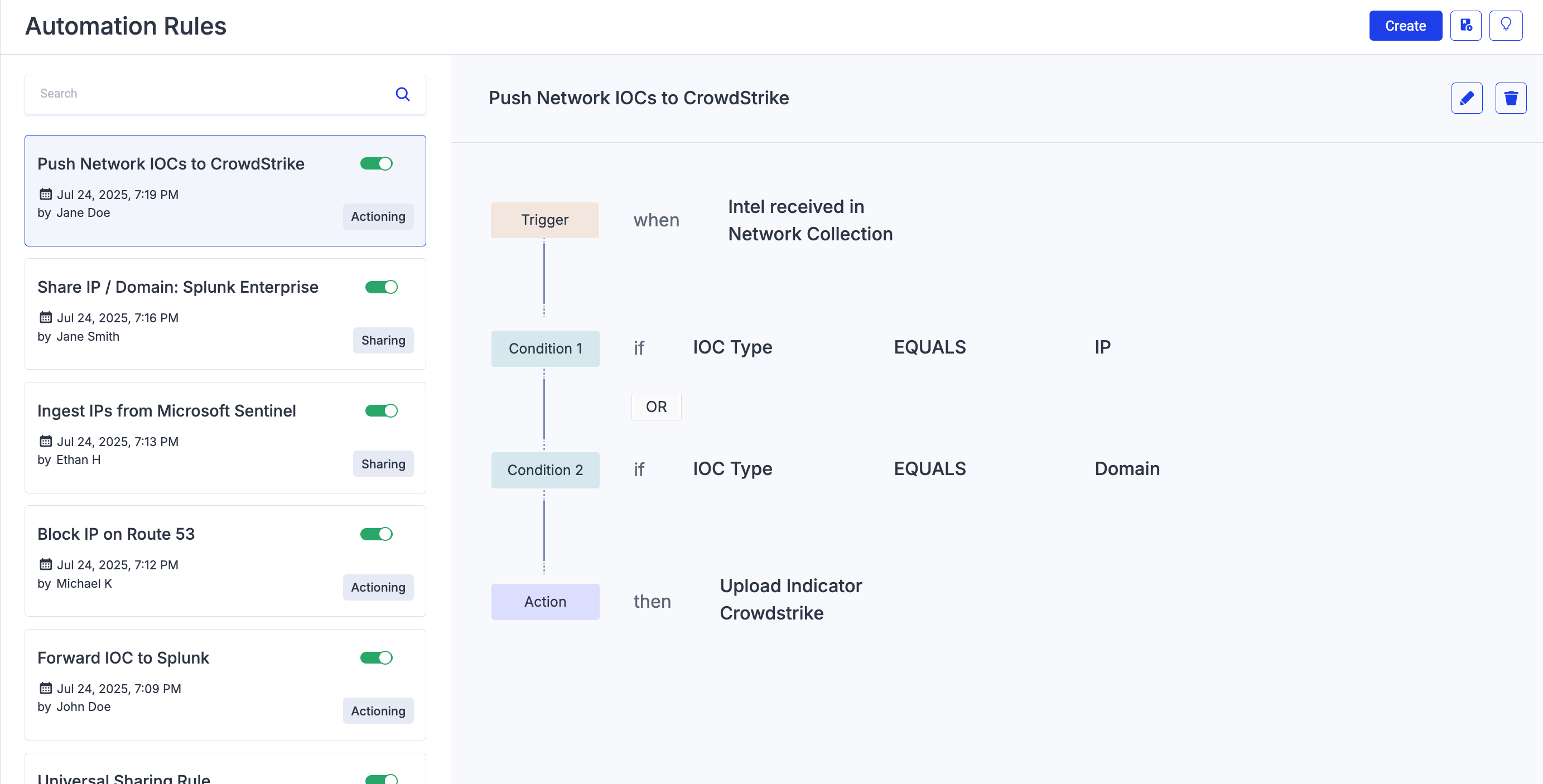
Example 2: Actioning Rule
The following example is an actioning rule for IP and Domains that have been shared with you by the network (sharing community). When they are available in the Intel Repository > Network Collection > Received Indicators, the rule is triggered, and the indicators are uploaded to CrowdStrike.
 |