View Threat Insights
Threat Insights provides visibility into compromised credentials by integrating Compromised Credential Management (CCM) with your Identity Access Management (IAM) tools. This integration correlates compromised credentials with user accounts, enabling you to quickly identify high-risk users and prioritize responses. To view Threat Insights, ensure IAM integrations are configured. For more information, see Configure IAM Integrations for Threat Insights.
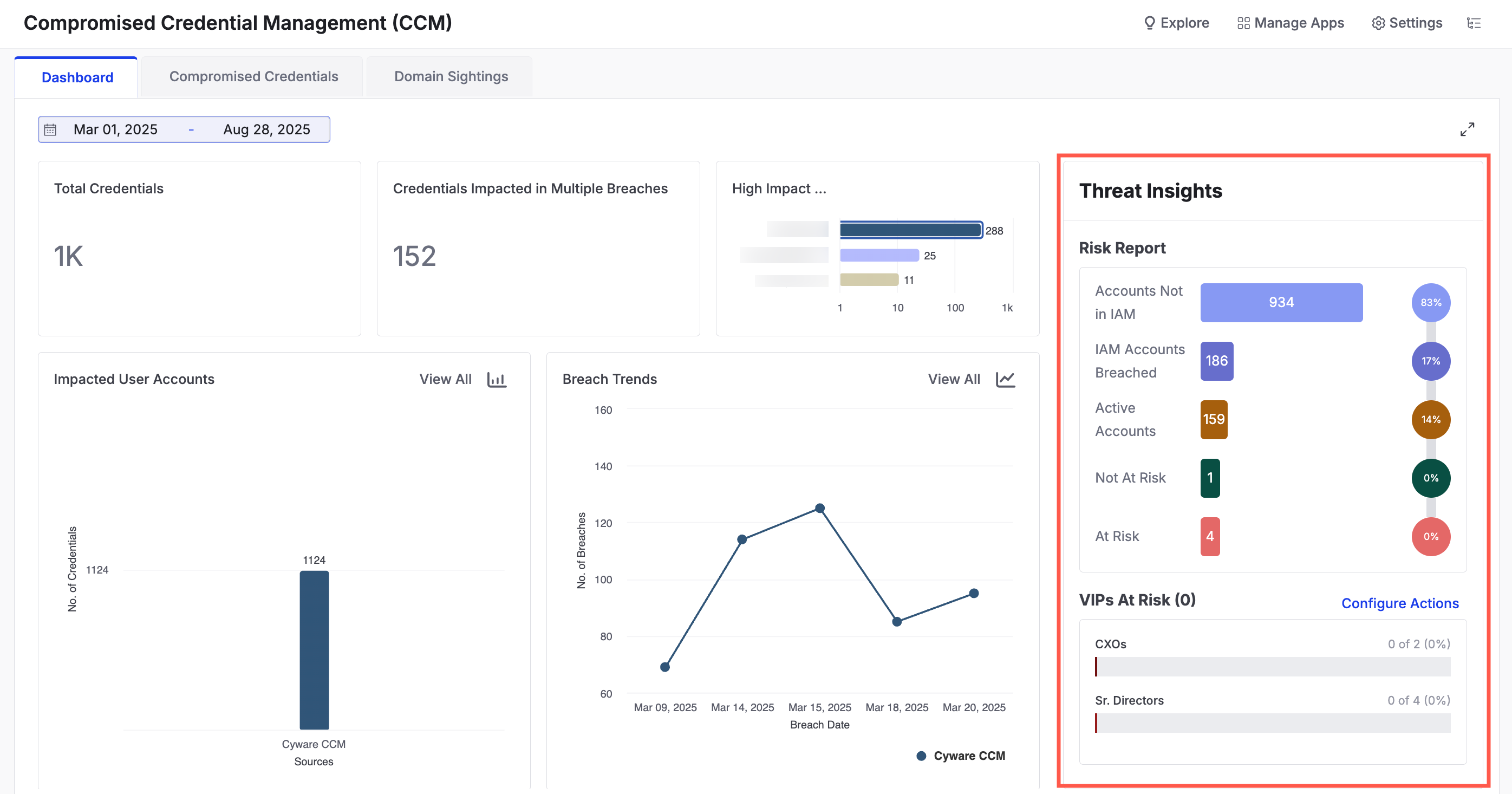 |
This section offers an overview of your organization's credential status through the following widgets:
Risk Report: View the number of breached accounts detected in your IAM. You can see how many active accounts are affected. Use the following information to view the report:
Accounts Not in IAM: Breached accounts that do not match any records in your configured IAM app.
IAM Accounts Breached: Total number of breached accounts that were found within your configured IAM app.
Active Accounts: Breached accounts that are currently active in the IAM app.
Not at Risk: Accounts where the password was changed after the breach date.
At Risk: Accounts where the password has not been changed after the breach date.
VIPs At Risk: Monitor critical user groups configured under Settings > Automated Responses. If any configured email appears in a breach, it is automatically reported here. To take action on accounts that are at risk, configure response actions by clicking Configure Actions. For more information, see Automated Responses.