Release Notes 3.4.8 (Early Access)
March 12, 2026
We are excited to introduce you to the latest version of Respond v3.4.8. This release includes enhancements and minor bug fixes.
Delete Unmapped Sources and Locations
Admins can now delete Sources and Locations that are not associated with any incidents or other modules. This helps remove records that are no longer required and ensures that only valid and relevant options are available when creating incidents.
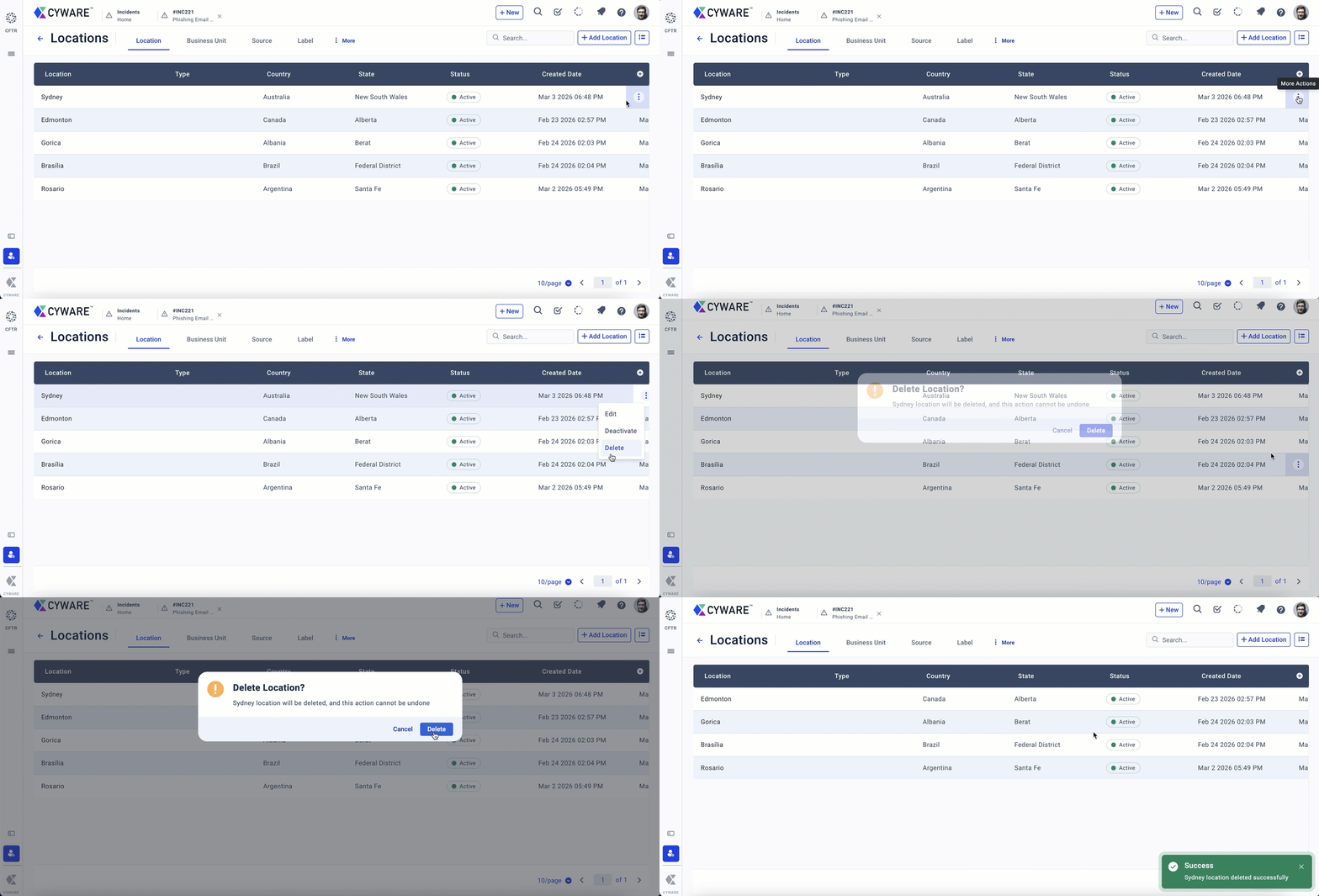
For more information, see Manage Locations and Manage Sources.
Dashboards Enhanced
The Quick Actions widget in the Key Metrics dashboard now enables you to view metrics such as the Mean Time to Acknowledge (MTTA) and Mean Time to Investigate (MTTI). These metrics help measure how quickly incidents are acknowledged and investigated, enabling you to monitor and improve overall incident response efficiency. You can also add these metrics as widgets to custom dashboards.
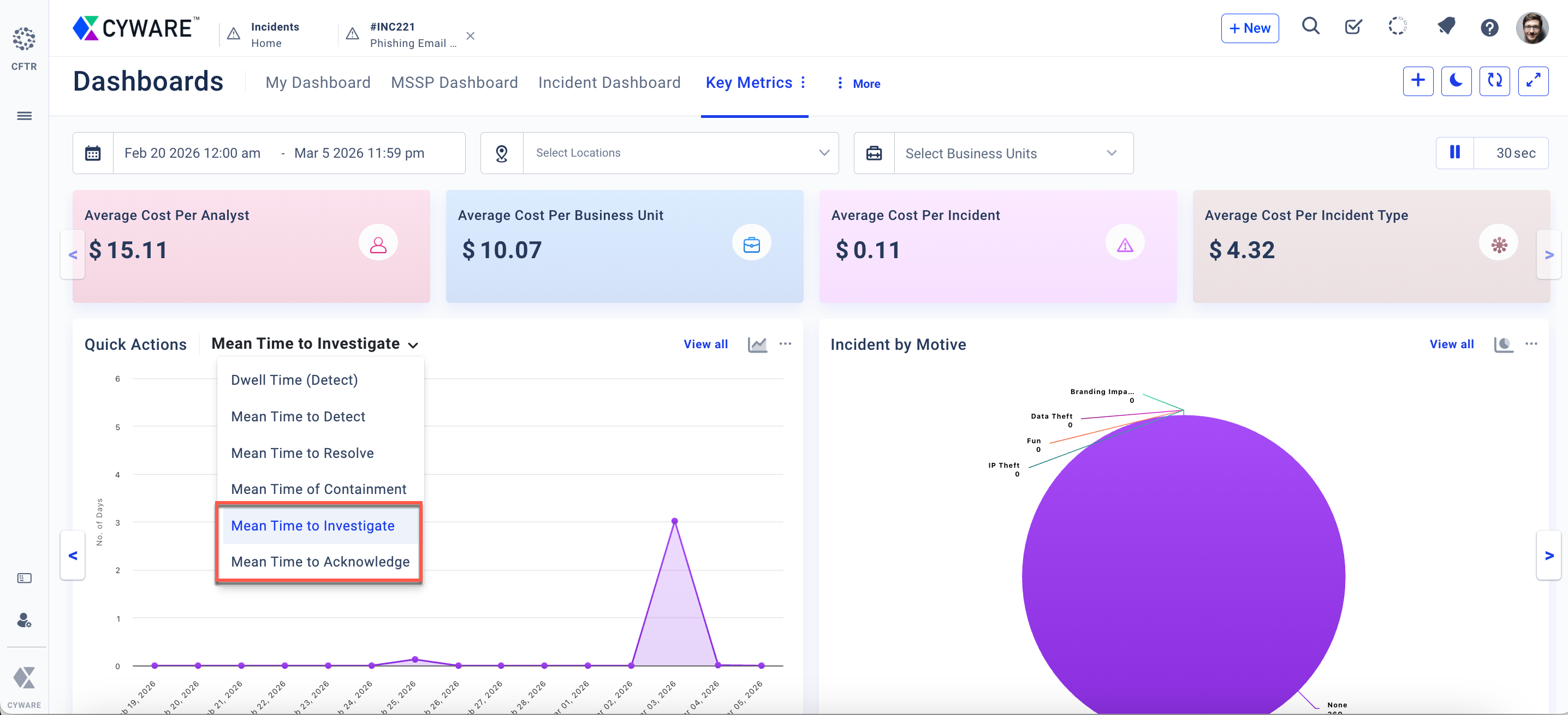
For more information, see Key Metrics.
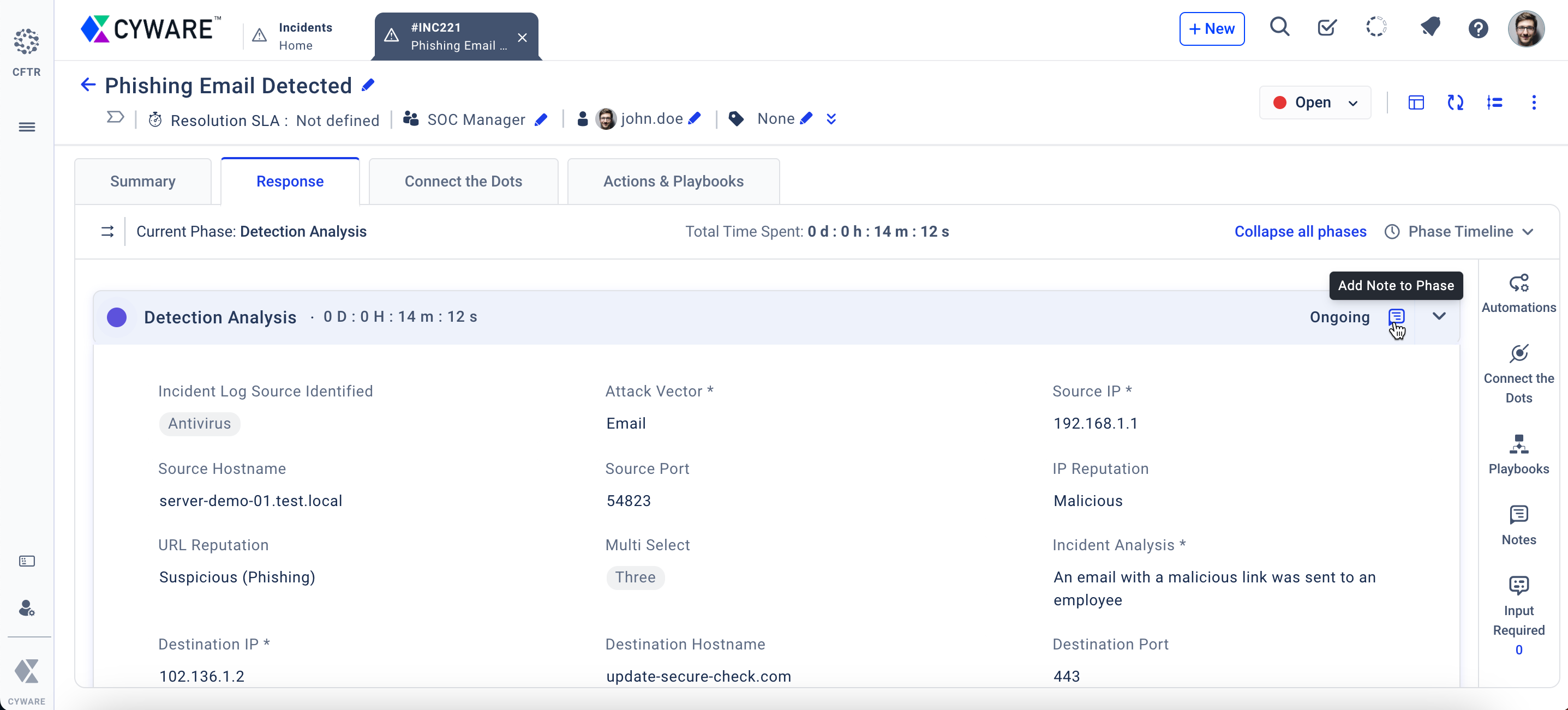
Notes Enhanced
You can now add notes directly to phases of an incident, enabling phase-level comments for improved tracking and collaboration. Notes added within a phase are labeled with the corresponding phase name for easier identification. This feature is supported in both the New and Classic incident response layouts.
Other Enhancements
You can now view the Playbook ID and Run Log IDs in the Activity Logs for incidents, devices, and other modules created in Respond through playbooks. This helps you trace which playbook run created a specific record, improving visibility, auditing, and troubleshooting. For more information, see Manage Activity Logs.
While creating triggers in Rule Engine, Field Update now supports selecting None for both From Field and To Field. This enables triggers when a field changes from None to a value, such as when the Assigned User field is updated from None to a user.
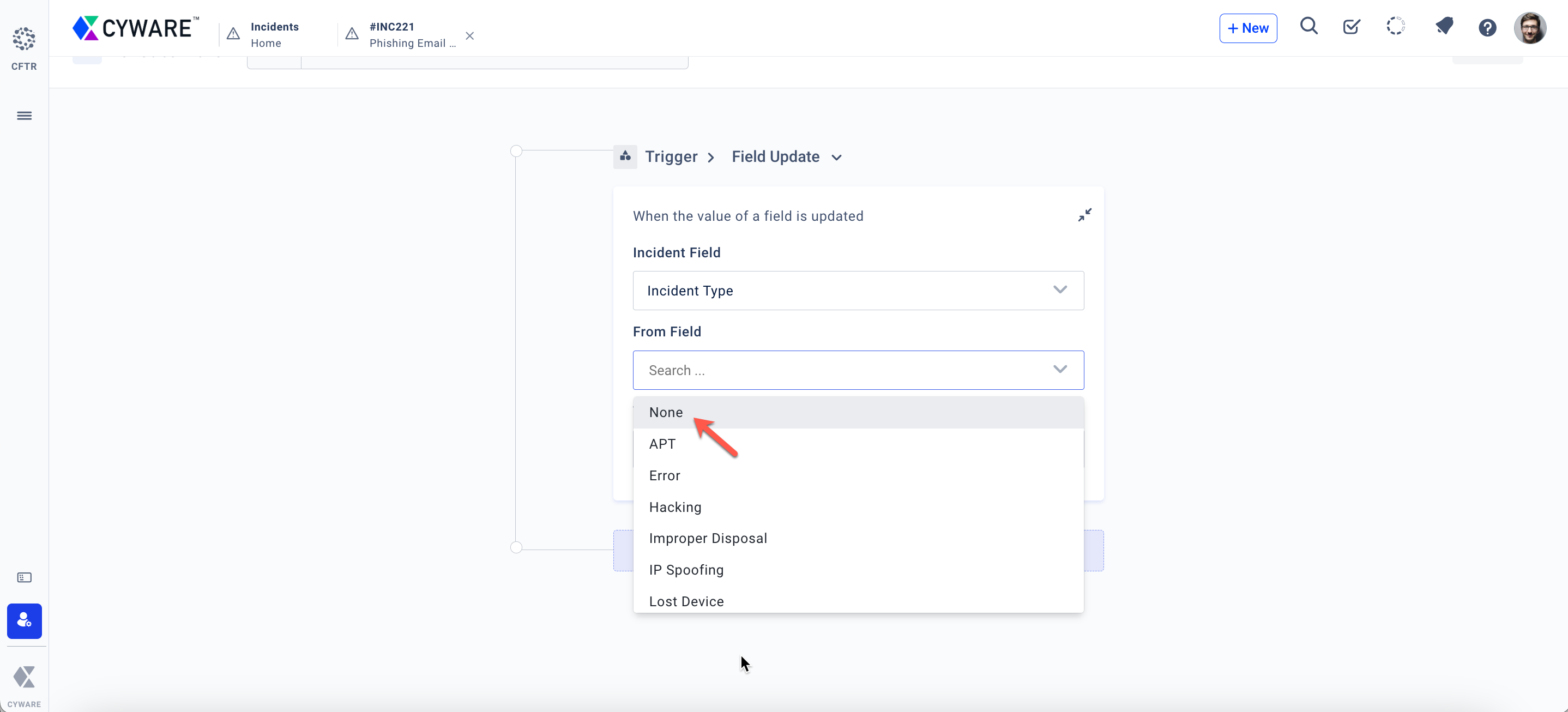
For more information, see Configure Automation Rules.
You can now add tables and images directly within Knowledge Base articles for better layout and clarity.
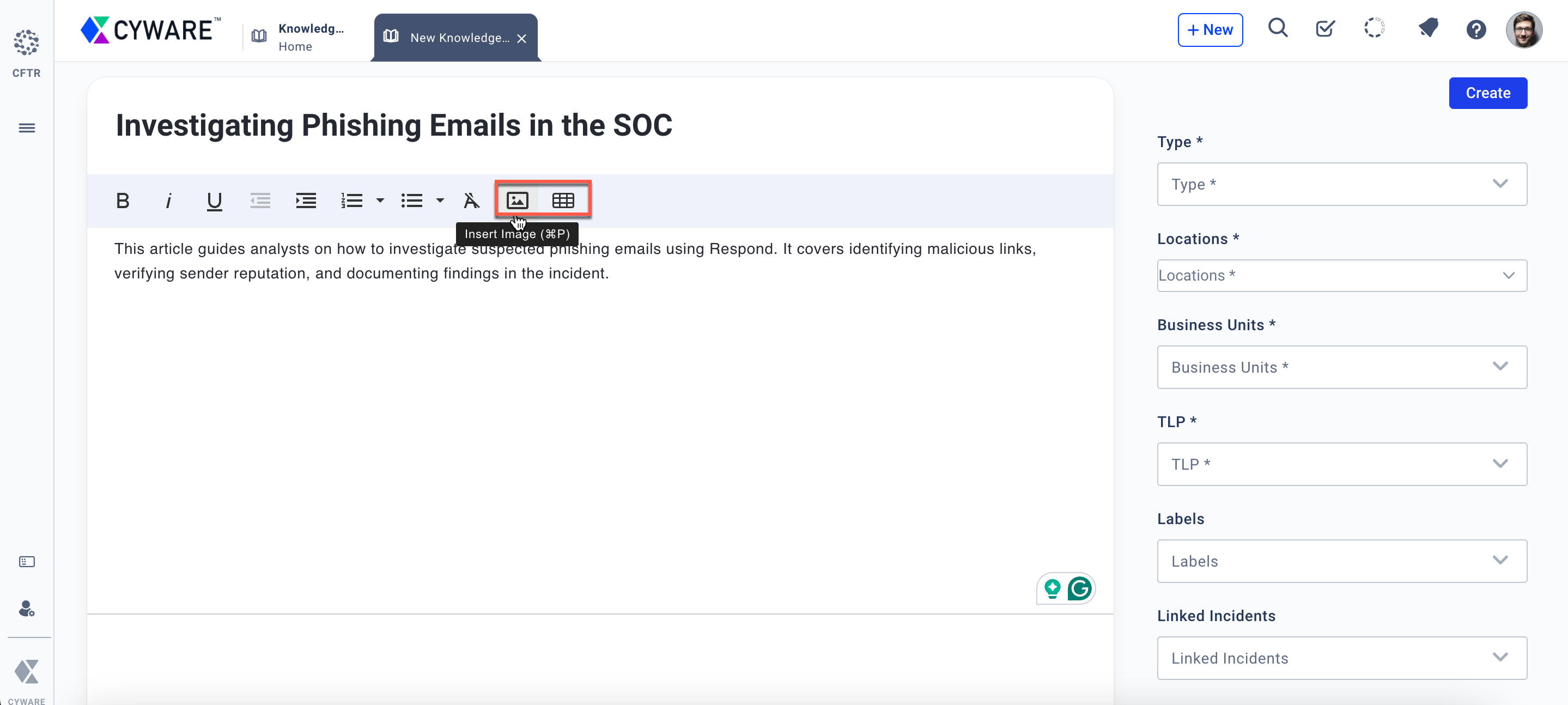
For more information, see Create Knowledge Base Article.
You can now configure default values for single-select and multi-select fields of an incident in Form Management > Incident Workflows. The configured default values are automatically selected when creating an incident.
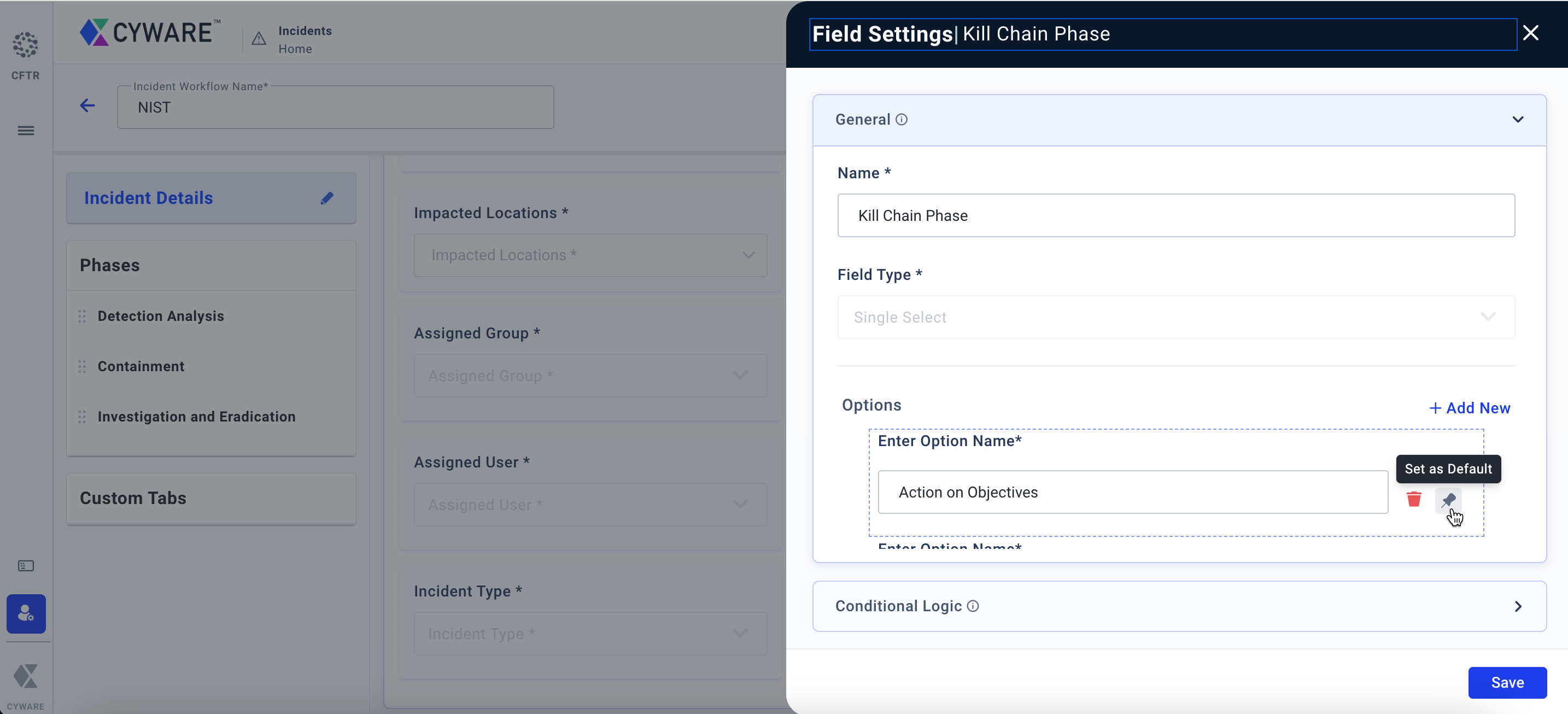
For more information, see Manage Field Library.
In an incident, you can now move between phases by simply editing any field in the required phase, reducing clicks, and accelerating incident investigations. For more information, see Incident Response and Response.
Admins can now configure whether users can add notes after an incident is closed using the Allow Notes After Incident Closure option in Admin > Configurations > Incident > Incident Notes. For more information, see Configure Incident Settings.
While creating new threat intel, you can now view the threat intel already associated with an incident in Connected IPs, Connected Domains, and other threat intel. The Remove Connection option is now available in Threat Intel to remove connections associated with the incident. These enhancements are available in both the New and Classic incident response layouts.
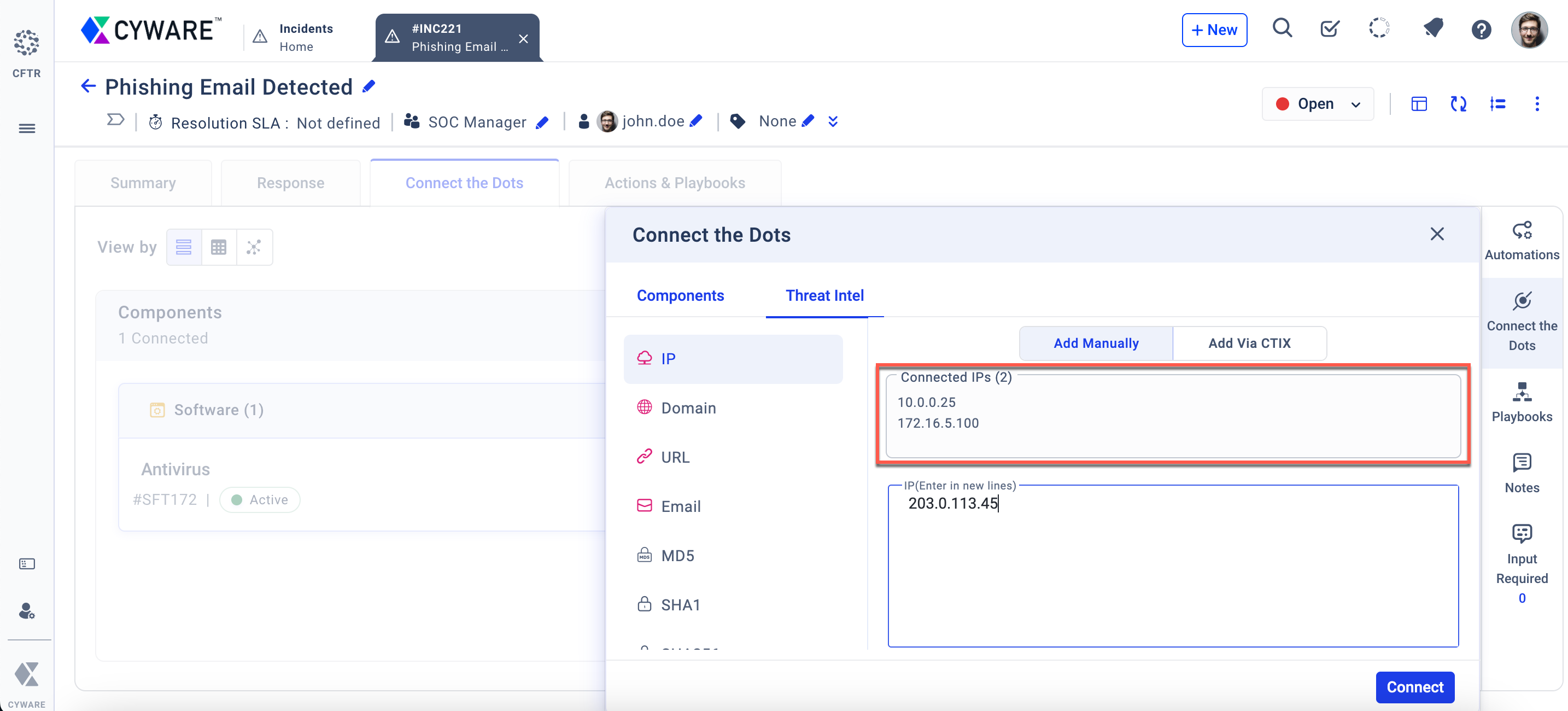
For more information, see Connect the Dots and Mission Control.
When exporting Threat Intel, the export file now includes the Linked Business Units column, providing better visibility into the business units impacted. For more information, see Manage Threat Intel.
While creating Reports, you can now add overview widgets that provide summarized data, enabling stakeholders to quickly track incident trends and key metrics.
Open API Enhancements
Get All Activity Logs API
/v1/activity-log/user-activity-logs/?:Retrieves activity logs of all users in Respond. For more information, see Get All Activity Logs.Get API Request Logs
/v1/utils/request-log/?:Retrieves API request logs of all users in Respond. For more information, see Get API Request Logs.To enhance API performance, six new APIs are introduced in each module, including Incidents, Actions, Devices, Vulnerabilities, Malware, Threat Briefing, Applications, Enhancements, Campaign, Software, Users, and PIRs. For more information, see Respond (CFTR) API Reference.